


Ares Emulator
7 likes
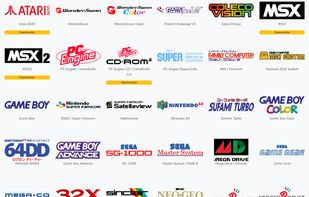
ares is a multi-system emulator that began development on October 14th, 2004. It is a descendent of higan and bsnes, and focuses on accuracy and preservation.

Cost / License
- Free
- Open Source
Application type
Platforms
- Mac
- Windows
- Linux


+24


Features
Ares Emulator News & Activities
Highlights All activities
Recent activities
 jethro_tull added Ares Emulator as alternative to Super ZSNES
 jethro_tull added Ares Emulator as alternative to ClownMDEmu
- jethro_tull added Ares Emulator as alternative to jgenesis
- jethro_tull liked Ares Emulator
- fthisimoverit liked Ares Emulator
- kale liked Ares Emulator
 Alaik added Ares Emulator as alternative to KRetro


Ares Emulator information
Developed by
 Luke Usher
 Licensing
Open Source and Free product.Written in
Alternatives
39 alternatives listedBadge
Get an embeddable badge for Ares EmulatorSupported Languages

AlternativeTo Category
Gaming SoftwareGitHub repository
- 1,825 Stars
- 229 Forks
- 604 Open Issues
- Updated


Featured in Lists



SAY GOODBYE TO BIG COMPANIES WITH THESE ALTERNATIVES
Throughout the years, we have been relying on big companies like Google, Microsoft, Meta and others to give us access to their products to use our computers and phones, communicate on the online web, and store our files. However, as things have gotten worse with the years and the rise of gen-AI only making things worse, people are starting to question if they can even move to new services. However, the journey can be hard and there are so many options that non-tech savvy people are going lose patience and give up.
That is why I made this long and comprehensive list of mostly open-source alternatives to different things from computer OS, social media, to even TV. Many things are easy to move to, others are for more tech-savvy people, and this list doesn't even have all of the available options in any category! However, this is a great first step into trying new things and to slowly move away from big tech. You don't need to do it all at once, go step by step, decide if there are some services you can't stop using and which ones could use a switch and have fun!
Comments and Reviews
I downloaded this and Project64 to compare, and Project64 played much, much better out of the box.
Ares gave a lot more options, but for playing N64 games like Mario Kart or Perfect Dark, Project64 was just so much better.