


Antinote
4 likes
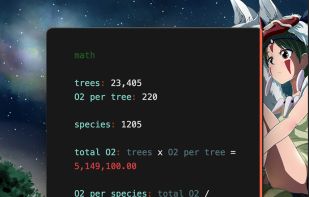
Antinote provides beautiful temporary notes, calculations, and custom calculators with lifetime updates. Features swipe navigation, plain text support, instant conversions including crypto, and one-click export functionality. Includes screenshot-to-text conversion, global hotkey access, and more.

Cost / License
- Pay once
- Proprietary
Application typeApplication types
Platforms
- Mac


Features
Highlights All activities
Antinote News & Activities
Recent News
No news, maybe you know any news worth sharing?
Share a News Tip
Recent activities
- Aleksei liked Antinote
 Arun added Antinote as alternative to Jot - Quick Capture
 roqd added Antinote as alternative to StoreProof
 Yuri Karamian added Antinote as alternative to HelixNotes
 Darlene Sonalder added Antinote as alternative to FireflyNotes





Licensing
Proprietary and Commercial product.Pricing
One time purchase (perpetual license) that costs $5.Alternatives
42 alternatives listedBadge
Get an embeddable badge for AntinoteSupported Languages


Comments and Reviews
So I paid $5 for Antinote i think half a year ago and have been using it almost every day ever since. However, you need to get used to the features you really need and to hotkeys. I really like the concept of having non-important notes that I don't need to clean up every now and then, but it's not a typical notepad you might think of. For instance, it will shorten the link representation and you need to unwrap it with Command-Click before copying, otherwise you're gonna copy a broken link. You can also select a type of note, so you can have notes where you insert the copy from the image in your buffer, or where you do calculations, or where you have a to-do list, but you can't have combinations of those features in a single note. So it's quite opinionated but still very good.