Alternate File Move Alternatives

Alternate File Move is described as 'Sync two folders on Windows' and is a File Sync tool. There are more than 50 alternatives to Alternate File Move for a variety of platforms, including Windows, Mac, Linux, Android and Android Tablet apps. The best Alternate File Move alternative is FreeFileSync, which is both free and Open Source. Other great apps like Alternate File Move are rsync, Unison File Synchronizer, GoodSync and SyncBack.

Copy a direct link to this comment to your clipboard
Alternate File Move alternatives page was last updated

Alternatives list

  1. SyncTime icon
     6 likes

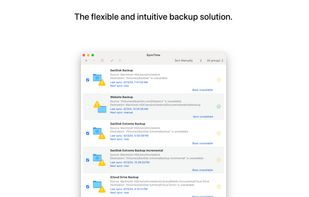
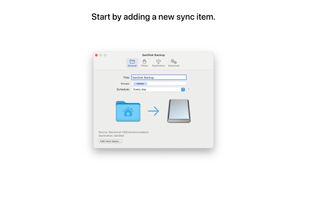
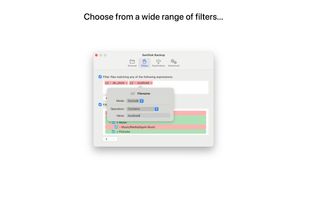
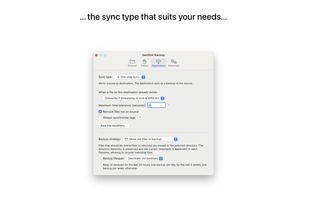
    SyncTime is the easy-to-use and flexible solution to synchronize your files. Keep all your backup copies up to date with the click of a button, with automated schedules, from the Shortcuts app or even via AppleScript.

    Cost / License

    • Paid
    • Proprietary

    Application type

    Platforms

    • Mac
     
  2. Synchredible icon
     8 likes

    Automates file, folder, and drive synchronization with one- or two-way sync, scheduled jobs, LAN and USB support, portable use, change detection, reporting, and optional add-ons for exclusive file handling and Windows service operation.

    Cost / License

    • Free Personal
    • Proprietary

    Application type

    Platforms

    • Windows
     
  3. Copywhiz icon
     51 likes

    Crazy & Smart File Copy Program for Windows that lets you have more control when copying files in Windows. Also automate complex tasks & save hours.

    Cost / License

    • Paid
    • Proprietary

    Application type

    Platforms

    • Windows
     
  4. RsyncOSX icon
     6 likes

    A macOS GUI for rsync.

    Cost / License

    • Free
    • Open Source (MIT)

    Application type

    Platforms

    • Mac
     
  5. ChronoSync icon
     37 likes

    ChronoSync can synchronize, backup, and create bootable backups to almost anything you can connect to your Mac: select cloud services, other Macs, NAS drives, external drives, PC's or anything you can mount as a volume.

    Cost / License

    • Paid
    • Proprietary

    Application types

    Platforms

    • Mac
     
  6. Create Synchronicity is a nice, lightweight backup program with a very user-friendly - yet powerful - interface, that synchronizes files and folders extremely quickly (it can even recognize paths such as "MyUSB"\MyFolder, and locate the USB drive called...

    Cost / License

    • Free
    • Open Source

    Application type

    Alerts

    • Discontinued

    Platforms

    • Windows
     
  7. Directory Compare is a utility to help you keeping copies of your important directories (documents, programs under development and so on) in a backup hard disk or any other storage system (like USB drives or CD-RW disks).

    Cost / License

    • Free
    • Proprietary

    Application type

    Platforms

    • Windows
     
  8. FBackup icon
     14 likes

    FBackup is a free backup software for both personal and commercial use. It protects your important data by backing it up automatically to any USB/Firewire device, local or network location. The backed up data can be either compressed (using standard zip compression) or an exact...

    Cost / License

    • Free
    • Proprietary

    Platforms

    • Windows
     
  9. nsync icon
     6 likes

    nsync is a free, open source software that performs synchronization of your data between desktop PCs, laptops, USB drives and more.

    29 nsync alternatives

    Cost / License

    • Free
    • Open Source

    Application type

    Platforms

    • Windows
     
  10. Qtd Sync icon
     20 likes

    A graphical interface for the Rsync engine that will synchronise files between two computers either locally or over the internet. The beauty of Rsync is that it only transfers the exact part of a file that has changed (differential synchronisation), saving bandwidth and time.

    Cost / License

    • Free
    • Open Source

    Platforms

    • Windows
    • Linux
     
  11. Kup is created for helping people to keep up-to-date backups of their personal files. Connecting a USB hard drive is the primary supported way to store files, but saving files to a server over a network connection is also possible for advanced users.

    Cost / License

    • Free
    • Open Source

    Platforms

    • Linux
     
  12. BFileSync icon
     1 like

    BFileSync is a simple file app to copy or move files between SD Card and other external storage media without rooting your device.

    Cost / License

    • Free
    • Proprietary

    Application type

    Platforms

    • Android
    • Android Tablet
     
You are at page 2 of Alternate File Move alternatives