

Aizen
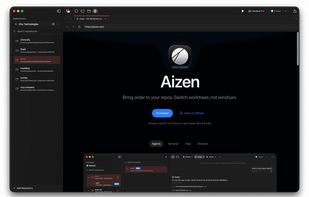
Aizen is a macOS workspace for parallel development. Bring order to your projects, environments, and day-to-day work. Give each project or branch its own environment, with its own terminal, files, browser, agents, and state.
Cost / License
- Freemium (Pay once or Subscription)
- Open Source (GPL-3.0)
Platforms
- Mac
Features
- Dark Mode
- Ad-free
- No registration required
- Command line interface
Git Support
- No Tracking
- Syntax Highlighting
- GPU Acceleration
Git integration
- AI-Powered
- Split-screen view
- Persistent History
- Agentic AI
- Support for Keyboard Shortcuts
- Model Context Protocol (MCP) Support
Aizen News & Activities
Recent activities
Aizen information
What is Aizen?
Aizen is a macOS workspace for parallel development. Bring order to your projects, environments, and day-to-day work. Give each project or branch its own environment, with its own terminal, files, browser, agents, and state.
What is Aizen?
Aizen is an agentic-first developer workspace for macOS. It helps you run projects and branches in parallel without turning worktrees, folders, or copies into manual setup. Each environment keeps its own terminal, files, browser, agent sessions, Git context, and review state in one place.
Current Highlights:
Parallel Environments
- Workspaces — Organize active projects into color-coded groups
- Per-project environments — Give each project or branch its own terminal, files, browser, and chat
- Flexible under the hood — Aizen can use Git worktrees, folders, or copies, depending on the setup
Terminal and CLI
- GPU-accelerated — Powered by libghostty
- Split panes and tabs — Horizontal and vertical splits with presets and themes
- Persistence — Optional tmux-backed terminal session restore
- CLI companion — Open projects, manage workspaces, and attach to persistent terminals with aizen
Agentic-First Workflow
- ACP registry-first — Add registry agents or bring your own custom command/binary
- Agent sessions per environment — Keep chat, tool calls, and context attached to the project you are working in
- MCP marketplace — Browse and add MCP servers from inside the app
- Rich input — File attachments, tool calls, and on-device voice input with waveform visualization
Git, Review, and Delivery
- Git operations — Stage, commit, push, pull, merge, and branch from the UI
- Diff and review — Syntax-highlighted diffs, review comments, and PR/MR detail views
- Workflow visibility — GitHub Actions and GitLab CI runs from the worktree sidebar
- Apple workflows — Xcode build integration for .xcodeproj and .xcworkspace projects
Files and Browser
- File browser — Tree view, search, syntax highlighting, inline diffs, and multiple tabs
- Built-in browser — Per-worktree tabs for docs, previews, auth flows, and local apps


