




AirCheck
Like
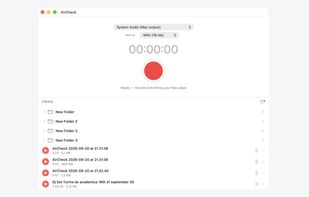
One-button Mac recorder for system audio or any input. WAV or MP3, no loopback driver, restarts into the same file if audio drops.

Cost / License
- Pay once
- Proprietary
Application typeApplication types
Platforms
- Mac

Features
AirCheck News & Activities
Highlights All activities
Recent activities
- Hannes-Hennerbichler added AirCheck
 Hannes-Hennerbichler added AirCheck as alternative to Audio Hijack, Piezo, BlackHole Audio Loopback Driver, Loopback and 5 more


AirCheck information
Licensing
Proprietary and Commercial product.Pricing
One time purchase (perpetual license) that costs $39.Alternatives
9 alternatives listedBadge
Get an embeddable badge for AirCheckSupported Languages


No comments or reviews, maybe you want to be first?