Dim videos YouTube labels as made with AI and show why, or hide them. Also channels you block. No server, no tracking.
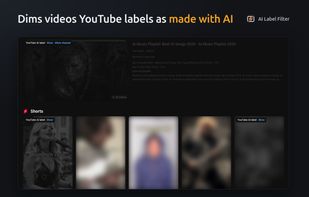
Dim or hide YouTube videos labelled as made with AI, and see why each video was filtered.
AI Label Filter for YouTube uses YouTube's own "Made with AI" label. It does not guess from titles, thumbnails, or a detection model. A video is filtered only when there is a reason you can see.
MANY AI VIDEOS ARE NOT LABELLED
YouTube labels only some AI-generated content. Many AI videos have no label. This extension is precise, not complete. For broader coverage, turn on AiSList, a community-maintained list of AI channels with its own review and removal process (off by default).
WHAT IT DOES
• On a video page: if YouTube labels a video as made with AI, a banner offers "Hide this channel" or "Dismiss"
• In feeds: filters cards for labelled videos, channels you hid, and optionally channels listed in AiSList
• Other videos from a channel are dimmed, never hidden, when at least 5 of its last 20 different videos have been checked on your device and 60% or more are labelled (on by default; turn it off in the popup)
• Dim + reason (default): fades the card and adds a reason chip with "Show" and "Allow channel"
• Hide: removes filtered cards; "Reveal" in the popup shows hidden cards on the page
• "Also dim channels whose recent videos are mostly AI-labelled" (on by default): turns the channel rule on or off. The popup lists channels it dims, with "Allow" to always show each one
• Optional "Check every visible video" (off by default): asks YouTube about each visible video, one request at a time across all tabs and at least 1 second apart, then saves the result
• Popup: counts by reason for the open page, Hidden channels, Always shown channels and "Dimmed for their channel" lists, and an on/off switch
SAFE DEFAULTS
• If something fails, videos are shown, not hidden
• If YouTube pushes back (HTTP 403 or 429, a redirect, or its "Sorry" page), all requests stop for 24 hours. Other refusals pause requests for 15 minutes, doubling up to 24 hours
• Once a day, it checks up to two videos known to have the label. The popup warns you if the label can no longer be read or YouTube refuses the check
PRIVACY
No server, account, or analytics. Nothing is sent to the developer. To read the label, the extension sends a small request about the video to YouTube from the YouTube page, without your cookies. If you turn on AiSList, the list is downloaded from GitHub at most once a day. Settings and results stay in your browser.






 EU



 Paul added AI Label Filter for YouTube as alternative to AI Content Shield
 Paul added AI Label Filter for YouTube as alternative to AiBlock for YouTube, AI Label Blocker for YouTube and Weedout


 Nova


No comments or reviews, maybe you want to be first?