Afterglow (GPU tuning) Alternatives

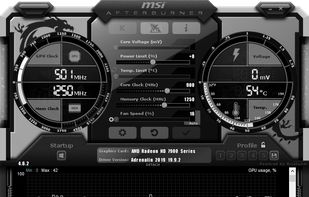
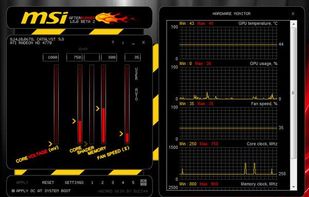
Afterglow (GPU tuning) is described as 'Afterglow is an MIT-licensed tuning utility for NVIDIA RTX GPUs: core and memory overclocking with driver-validated ranges, clock-lock undervolting including a measured voltage/frequency curve on RTX 50 (where NVIDIA blocks the curve APIs), per-fan curves with hysteresis and' and is an app in the system & hardware category. There are five alternatives to Afterglow (GPU tuning) for Windows and Steam. The best Afterglow (GPU tuning) alternative is MSI Afterburner, which is free. Other great apps like Afterglow (GPU tuning) are Nvidia App, Rivatuner Statistics Server (RTSS), EVGA Precision X1 and ASUS GPU Tweak III.

Copy a direct link to this comment to your clipboard
Afterglow (GPU tuning) alternatives page was last updated

Alternatives list

  1. MSI Afterburner icon
     154 likes

    Comprehensive tool offering GPU overclocking, video and screen capture, and overlays, with support for Nvidia and ATI cards. Features Kombustor stress test, portable use, ad-free experience, manual exclusion of false positives in displays, and multiple video compression options.

    50 MSI Afterburner alternatives

    Cost / License

    • Free
    • Proprietary

    Platforms

    • Windows
     
  2. Nvidia App icon
     30 likes

    The NVIDIA app updates your PC with the latest drivers and technology, optimizes games and applications through a unified GPU control center, provides recording tools via in-game overlay, and highlights the latest NVIDIA tools and software.

    28 Nvidia App alternatives

    Cost / License

    • Free
    • Proprietary

    Application type

    Platforms

    • Windows
     
  3. RivaTuner is a complete powerful tweaking environment, providing you everything you may need to tune NVIDIA GPU based display adapters. The widest driver-level Direct3D / OpenGL and system tuning options, flexible profiling system allowing to make custom settings on...

    20 Rivatuner Statistics Server (RTSS) alternatives

    Cost / License

    • Free
    • Proprietary

    Platforms

    • Windows
     
  4. EVGA Precision X1 allows you to fine tune your EVGA graphics card for the maximum performance possible, with Core/Shader/Memory clock tuning, real time monitoring support including in-game and compatibility with almost all EVGA graphics cards.

    Cost / License

    • Free
    • Proprietary

    Platforms

    • Windows
    • Steam
     
  5. ASUS GPU Tweak III is currently open beta testing so try it out, if you feel it is missing something crucial give ASUS your feedback & they may be able to add it while still in beta. So far ASUS has been very accommodating with all useful feedback..

    18 ASUS GPU Tweak III alternatives

    Cost / License

    • Free
    • Proprietary

    Platforms

    • Windows
     
5 of 5 Afterglow (GPU tuning) alternatives