Adobe InDesign AlternativesOnly apps categorised as Desktop Publishers

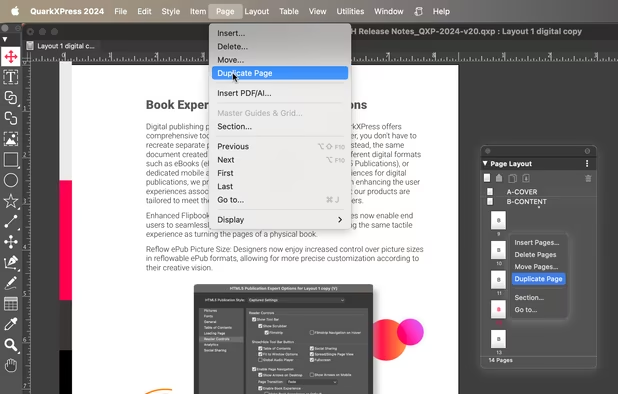
The best Desktop Publisher alternative to Adobe InDesign is Scribus, which is both free and Open Source. If that doesn't suit you, our users have ranked more than 50 alternatives to Adobe InDesign and 19 are Desktop Publishers so hopefully you can find a suitable replacement. Other interesting Desktop Publisher alternatives to Adobe InDesign are Affinity Publisher, Affinity, QuarkXPress and VivaDesigner.

filter to find the best alternatives

Adobe InDesign alternatives are mainly Desktop Publishers, but if you're looking for Vector Graphic Apps or Word Processors you can filter on that. Other popular filters include Open Source, Free, Linux, Android, Mac, Chrome OS and iPad. You can also filter by region, for example EU-based alternatives if you prefer software developed in the European Union. These are just examples - use the filter bar below to find more specific alternatives to Adobe InDesign.
Copy a direct link to this comment to your clipboard
Adobe InDesign alternatives page was last updated

Alternatives list

  1. Scribus icon
     423 likes

    Open-source desktop publishing software offering flexible layouts and typesetting, professional image setting, CMYK support, interactive PDFs, vector tools, and wide format support, perfect for creating newspapers, brochures, and more on Mac, Windows, Linux, and BSD.

    27 Scribus alternatives

    Cost / License

    Application type

    Platforms

    • Mac
    • Windows
    • Linux
    • BSD
    • Flathub
    • PortableApps.com
    • Oracle Solaris
    • Flatpak
     
    |
    13
    Scribus vs Adobe InDesign Comments
    Top Positive Comment
    maurosoft391
    3

    depsite it's poorly designed, scribus is somewhat easy to use. the font problem can be fixable by writing in the internal editor

    Top Negative Comment
    Guest
    15

    absolute pain in the $$$ to work with. lacks basic functionality like showing up the font you select in the actual page

    Review by a new / low-activity user.
    Guest
    Negative
    1

    It's very basic, and needs a lot of work to do even the simplest of things properly.

    Review by a new / low-activity user.
    3 of 13 comments
    • Scribus is Free and Open SourceAdobe InDesign is Paid and Proprietary
    • Scribus is Lightweight and Privacy focusedAdobe InDesign is not according to our users
  2. Affinity's professional desktop publishing software offers seamless integration with the Affinity suite, live document views, cloud collaboration, and advanced typography tools, providing users a flexible editing experience with support for large files, preflight tools, customizable UI color management features.

    26 Affinity Publisher alternatives

    Cost / License

    • Paid
    • Proprietary

    Application type

    Alerts

    • Discontinued

    Platforms

    • Mac
    • Windows
    • iPad
     
    |
    8
    Affinity Publisher vs Adobe InDesign Comments
    Top Positive Comment
    Paul
    3

    Until now, QuarkXPress was the only professional alternative to InDesign, but there's now a new contender: Affinity Publisher. I was already using Affinity Designer and Affinity Photo, and it's an essential addition to the suite. Really great to see new professional products breaking the Adobe monopoly.

    Noah
    Positive
    0

    It has the same features as InDesign and a much friendlier financing model without a horrendously expensive subscription and the more intuitive UI im my opinion.

    ashf
    Positive
    0

    Fast, flexible with designing

    3 of 8 comments
    • Affinity Publisher is Paid and ProprietaryAdobe InDesign is also Paid and Proprietary
  3. Affinity icon
     66 likes

    Unified design solution merging advanced photo, vector, and layout tools for seamless workflow, non-destructive editing, RAW support, batch processing, AI enhancements, GPU acceleration, file compatibility, cloud asset integration, and tailored workspace options.

    70 Affinity alternatives

    Cost / License

    • Freemium
    • Proprietary

    Platforms

    • Mac
    • Windows
     
    |
    1
    Affinity vs Adobe InDesign Comments
    Guest
    Positive
    0

    A free professional alternative to Indesign, Illustrator and Photoshop all rolled into one.

    Review by a new / low-activity user.
    • Affinity is Freemium and ProprietaryAdobe InDesign is Paid and Proprietary
  4. QuarkXPress icon
     26 likes

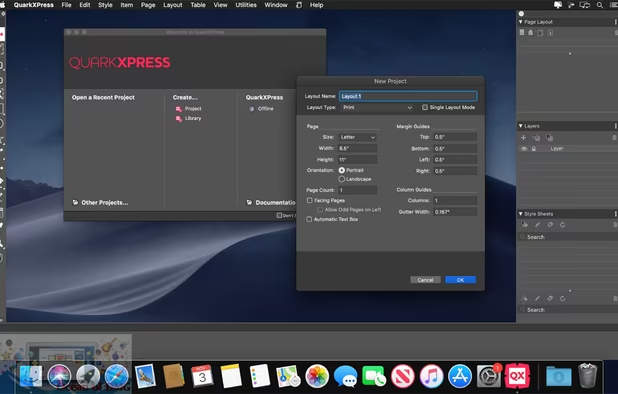
    Page layout tool for print and digital publishing featuring graphics editing, rich illustration support, image correction, responsive design conversion, native object handling, content automation, synchronized updates, and flexible workflow for creative projects.

    22 QuarkXPress alternatives

    Cost / License

    • Paid
    • Proprietary

    Application type

    Platforms

    • Mac
    • Windows
     
    |
    4
    QuarkXPress vs Adobe InDesign Comments
    Paul
    Positive
    2

    Way better than the competition. I learned Adobe InDesign when I was in school but I now use QuarkXPress for work.

    martinturner
    Positive
    4

    2 generations ahead of InDesign and available as a permanent purchase with no subscription. Converts all types of PDF files to native objects and outputs HTML5 and iOS apps in addition to industry-standard PDF for print.

    Guest
    Positive
    1

    Innovative features, like make PDF editable, create HTML5, as many apps as I want etc. And I can buy a license which I keep. At $185 for an upgrade. Plus it is fast, launches within 6 seconds.

    Review by a new / low-activity user.
    3 of 4 comments
    • QuarkXPress is Paid and ProprietaryAdobe InDesign is also Paid and Proprietary
  5. VivaDesigner icon
     9 likes

    This economically priced high end DTP program is extremely powerful and still very easy to use. With its innovative concepts, you can decisively improve your working processes and document management. With VivaDesigner, all collaborations between end customers, corporations and...

    Cost / License

    • Paid
    • Proprietary

    Application type

    Platforms

    • Mac
    • Windows
    • Linux
     
    |
    2
    VivaDesigner vs Adobe InDesign Comments
    BlueTen
    Positive
    1

    I moved to Linux recently and honestly didn't think I'd find a way to import my old InDesign files or even find a user-friendly app to recreate them in. Viva's got all that covered. Tried the free version, and it has everything I need!

    Nice and intuitive interface, snappy and performant. For ease of use on Linux, it comes in .appimage format, which means you should be able to run it no matter what distro you've chosen (like a portable .exe on windows).

    Guest
    Positive
    5

    It has 95-99% of all the features of InDesigner, can read and write Adobe InDesign files based on IDML and is the only app that is also available for the browser without any installation for the client. And last but not least you can buy or rent it and there is even a free version!

    Review by a new / low-activity user.
    • VivaDesigner is Paid and ProprietaryAdobe InDesign is also Paid and Proprietary
  6. Integrated within the Microsoft Office Suite, this tool empowers users to create, personalize, and share diverse publications and marketing materials. It aids in brand building, track campaigns, and manage customer lists, with capabilities for print, web, and email distribution.

    25 Microsoft Publisher alternatives

    Cost / License

    • Paid
    • Proprietary

    Application type

    Alerts

    • Discontinued

    Platforms

    • Windows
     
    |
    3
    Microsoft Publisher vs Adobe InDesign Comments
    Guest
    Negative
    8

    Most of the essential InDesign functions are not there.

    Review by a new / low-activity user.
    Guest
    Positive
    3

    Good for very simple job. Nice for merging data (db) and presentation !

    Review by a new / low-activity user.
    Guest
    Positive
    1

    Covers all the essentials of good DTP software if you're willing to get into the help documentation and find them (more complicated features are somewhat hidden). Vastly more affordable than InDesign or Quark, and vastly more capable than most of the rest of the options. I personally like it because I'm old school and was trained on Aldus Pagemaker, and MS Publisher has a Pagemaker-like feel.

    Review by a new / low-activity user.
    • Microsoft Publisher is Paid and ProprietaryAdobe InDesign is also Paid and Proprietary
  7. Swift Publisher icon
     10 likes

    Swift Publisher is an easy-to-use page layout and desktop publishing app for Mac. This software provides all you need for creating impressive and professional-looking documents such as flyers, brochures, catalogs, magazines, booklets, newsletters, calendars, posters, menus...

    43 Swift Publisher alternatives

    Cost / License

    • Paid
    • Proprietary

    Application type

    Platforms

    • Mac
     
    |
    1
    Swift Publisher vs Adobe InDesign Comments
    Guest
    Positive
    0

    It's inexpensive and very straightforward. It misses some of the hi-end features of InDesign, but is very good for basic tasks such as designing flyers, posters or brochures. Handling of text could be better though. Overall, it's a very good app for its price.

    Review by a new / low-activity user.
    • Swift Publisher is Paid and ProprietaryAdobe InDesign is also Paid and Proprietary
  8. Open Publisher is a lightweight, web-based desktop publishing tool that allows you to create documents, flyers, brochures, and fun designs on any device in any modern browser.

    Cost / License

    Platforms

    • Online
    • Self-Hosted
     
  9. Laidout icon
     5 likes

    Laidout is desktop publishing software, particularly for multipage, cut and folded booklets, with page sizes that don't even have to be rectangular. The whole page view can be rotated to any angle. Warping is implemented.

    16 Laidout alternatives

    Cost / License

    Application type

    Platforms

    • Linux
     
    |
    1
    Laidout vs Adobe InDesign Comments
    maurosoft391
    Negative
    1

    it's poorly designed and looks like a program from the 1990s

    • Laidout is Free and Open SourceAdobe InDesign is Paid and Proprietary
    • Laidout is LightweightAdobe InDesign is not according to our users
  10. RagTime icon
     2 likes

    RagTime is both a traditional Office and DTP layout application. Like an office application, RagTime contains a powerful word processor, a sophisticated spreadsheet, and a tool for slide shows. It supports picture handling and creates business graphics.

    16 RagTime alternatives

    Cost / License

    • Paid
    • Proprietary

    Application type

    Platforms

    • Mac
    • Windows
     
    |
    1
    RagTime vs Adobe InDesign Comments
    Guest
    Positive
    1

    Because we use it everyday for office applications. We know more functions than any software used on occasional base. It is very powerfull stable software. The piont we are missing is more basic templates.

    Review by a new / low-activity user.
    • RagTime is Paid and ProprietaryAdobe InDesign is also Paid and Proprietary
  11. PageStream icon
     6 likes

    Pagestream is a proprietary desktop publishing program for Linux, Windows, Macintosh, and Amiga. It was originally released under the name Publishing Partner in 1986.

    Cost / License

    • Paid
    • Proprietary

    Application type

    Alerts

    • Discontinued

    Platforms

    • Mac
    • Windows
    • Linux
    • AmigaOS
     
  12. imPRESSion and imPRESSion Lite are affordable desktop publishing applications that combine powerful vector graphics drawing with a range of text handling functions.

    Cost / License

    • Paid
    • Proprietary

    Application type

    Alerts

    • Discontinued

    Platforms

    • Windows
     
12 of 19 Adobe InDesign alternatives