
AcetoneISO icon
AcetoneISO icon

AcetoneISO

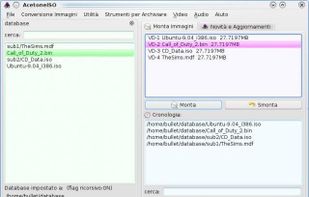
AcetoneISO is a free and open-source virtual drive software to mount and manage image files. Its goals are to be simple, intuitive and stable. Written in Qt, this software is meant for all those people looking for a "Daemon Tools for Linux".
AcetoneISO screenshot 1

Cost / License

  • Free
  • Open Source

Platforms

  • Linux
53likes
1comment
0articles

Features

  1.  Ad-free
  2.  Video Converter
  3.  Copyright-free
  4.  Copywriting
  5.  Copy & paste actions
  6.  Virtual Disk
  7.  Convert DVD to AVI

AcetoneISO News & Activities

Highlights All activities

Recent News

No news, maybe you know any news worth sharing?
Share a News Tip

Recent activities

AcetoneISO information

  • Developed by

    Fabrizio di Marco
  • Licensing

    Open Source and Free product.
  • Alternatives

    39 alternatives listed
  • Supported Languages

    • English

AlternativeTo Categories

CD/DVD ToolsVideo & Movies

Our users have written 1 comments and reviews about AcetoneISO, and it has gotten 53 likes

AcetoneISO was added to AlternativeTo by gyorgyjano on and this page was last updated .

Comments and Reviews

   
SamHydenko
0

Only available for Linux.

Featured in Lists

For Linux and Windows

List by OrdinaryAlien with 53 apps, updated

A list with 6 apps by A7lamLover without a description.

List by A7lamLover with 6 apps, updated

What is AcetoneISO?

AcetoneISO is a free and open-source virtual drive software to mount and manage image files. Its goals are to be simple, intuitive and stable. Written in Qt, this software is meant for all those people looking for a "Daemon Tools for Linux". However, AcetoneISO does not emulate any copy protection while mounting.

AcetoneISO also supports Direct Access Archive (*.daa) images because it uses the non-free and proprietary PowerISO Linux software as a backend while converting images to ISO.

Around the year 2010, AcetoneISO gained native support for burning ISO/CUE/TOC images to CD-R/RW and DVD-+R/RW (including DL) media thanks to external open source tools such as cdrkit, cdrdao and growisofs.

It is available in Arch Linux (in AUR), Debian, Ubuntu, Slackware, and Fedora Linux.

Features:

  • Mount automatically ISO, BIN, MDF, and NRG without the need to insert admin password. Only single-track images are supported for the moment.
  • Burn ISO/TOC/CUE to CD-R/RW optical discs
  • Burn ISO images to DVD-+R/RW (including DL)
  • A native utility to blank CD-RW, DVD-RW, and DVD-RW discs
  • A nice display which shows current images mounted and possibility to click on it to quickly re-open mounted image
  • Convert 2 ISO image types: bin mdf nrg img daa dmg cdi b5i bwi pdi
  • Extract images content to a folder: bin mdf nrg img daa dmg cdi b5i bwi pdi
  • Play a DVD Movie Image with Kaffeine / VLC / SMplayer with auto-cover download from Amazon
  • Generate an ISO from a Folder or CD/DVD
  • Check MD5 file of an image and/or generate it to a text file
  • Calculate ShaSums of images in 128, 256, and 384 bit
  • Encrypt / Decrypt an image
  • Split / Merge image in X megabyte
  • Compress with high ratio an image in 7z format
  • Rip a PSX CD to *.bin to make it work with ePSXe/pSX emulators
  • Restore a lost CUE file of *.bin *.img
  • Convert Mac OS *.dmg to a mountable image
  • Mount an image in a specified folder from the user
  • Create a database of images to manage big collections
  • Extract the Boot Image file of a CD/DVD or ISO
  • Backup a CD-Audio to a *.bin image
  • Complete localization for English, Italian, French, Spanish and Polish
  • Quick and simple utility to rip a DVD to Xvid AVI
  • Quick and simple utility to convert a generic video (avi, mpeg, mov, wmv, asf) to Xvid AVI
  • Quick and simple utility to convert a FLV video to AVI
  • Utility to download videos from YouTube and Metacafe.
  • Extract audio from a video file
  • Extract a *.rar archive that has a password
  • Utility to convert any video for Sony PSP PlayStation Portable
  • Display History that shows all images you mount in time