@MAX SyncUp Alternatives

@MAX SyncUp is described as 'Feature-rich utility for backing up and synchronizing data on a local network or over the Internet. @MAX SyncUp provides an Apple Time Machine style backup using hard links. It allows for the effective remote synchronizing through an RSync-like algorithm to' and is a File Sync tool in the backup & sync category. There are more than 50 alternatives to @MAX SyncUp for a variety of platforms, including Windows, Mac, Android, iPhone and Web-based apps. The best @MAX SyncUp alternative is Dropbox, which is free. Other great apps like @MAX SyncUp are FreeFileSync, Duplicati, rsync and Box.

Copy a direct link to this comment to your clipboard
@MAX SyncUp alternatives page was last updated

Alternatives list

  1. SyncTime icon
     6 likes
    Copy a direct link to this comment to your clipboard

    SyncTime is the easy-to-use and flexible solution to synchronize your files. Keep all your backup copies up to date with the click of a button, with automated schedules, from the Shortcuts app or even via AppleScript.

    Cost / License

    • Pay once
    • Proprietary

    Application type

    Platforms

    • Mac
     
  2. Backer icon
     4 likes
    Copy a direct link to this comment to your clipboard

    Backer is a visual front end to the rsync command. It allows the user to select multiple folders and back them up to multiple locations. It stores your backup settings for you so that all your backups can be run easily using a single button click.

    Cost / License

    • Free
    • Open Source

    Platforms

    • Mac
    • Linux
     
  3. OpenDrive icon
     32 likes
    Copy a direct link to this comment to your clipboard

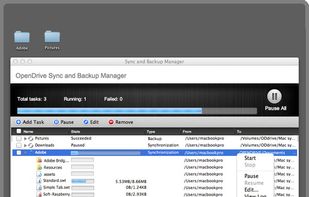
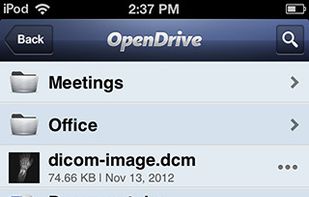
    OpenDrive is a remote drive for your computer, that allows you to store, sync, share, link, sell, advertise or back up files from your computer on the Internet with free 5GB.

    89 OpenDrive alternatives

    Cost / License

    • Freemium
    • Proprietary

    Platforms

    • Mac
    • Windows
    • Online
    • Android
    • iPhone
    • Android Tablet
    • iPad
    • Wordpress
     
  4. Second Copy icon
     9 likes
    Copy a direct link to this comment to your clipboard

    Second Copy is a simple and elegant backup program with a friendly interface, fully automated operations, an option to preserve multiple versions your files, and enough options to keep tech-savvy users happy.

    13 Second Copy alternatives

    Cost / License

    • Pay once
    • Proprietary

    Platforms

    • Windows
     
  5. ASUS WebStorage icon
     36 likes
    Copy a direct link to this comment to your clipboard

    ASUS WebStorage offers online storage with auto data backup for nearly 3 computers, auto data synchronization, and data sharing amongst others.

    Cost / License

    • Freemium (Pay once)
    • Proprietary

    Platforms

    • Windows
    • Linux
    • Online
    • Android
    • iPhone
    • Android Tablet
    • iPad
     
  6. ChronoSync icon
     38 likes
    Copy a direct link to this comment to your clipboard

    ChronoSync can synchronize, backup, and create bootable backups to almost anything you can connect to your Mac: select cloud services, other Macs, NAS drives, external drives, PC's or anything you can mount as a volume.

    65 ChronoSync alternatives

    Cost / License

    • Pay once
    • Proprietary

    Platforms

    • Mac
     
  7. Back4Sure icon
     9 likes
    Copy a direct link to this comment to your clipboard

    Back4Sure is a feature-rich backup solution for typical backup use. No VSS Volume Shadow Copy function for open files. The program can make a backup to hard-disk, USB drive or network and can also be compressed using high or low compression settings to a ZIP or 7-zip file of...

    Cost / License

    • Free
    • Proprietary

    Platforms

    • Windows
     
  8. KLS Backup icon
     5 likes
    Copy a direct link to this comment to your clipboard

    KLS Backup - Powerful backup and synchronization program with FTP, WebDAV and cloud support (Windows Azure, Amazon S3, Eucalyptus Walrus)

    Cost / License

    • Paid
    • Proprietary

    Platforms

    • Windows
     
  9. RsyncOSX icon
     6 likes
    Copy a direct link to this comment to your clipboard

    A macOS GUI for rsync.

    Cost / License

    • Free
    • Open Source

    Application type

    Platforms

    • Mac
     
  10. MiMedia icon
     9 likes
    Copy a direct link to this comment to your clipboard

    MiMedia is your personal media platform that combines online storage with an easy way to secure, protect and enjoy your digital life privately, or by sharing with loved ones.

    Cost / License

    • Freemium
    • Proprietary

    Platforms

    • Mac
    • Windows
    • Online
    • Android
    • iPhone
    • Android Tablet
    • iPad
     
  11. CmisSync icon
     23 likes
    Copy a direct link to this comment to your clipboard

    Securely syncs files and folders to your enterprise file server (on-premise or private cloud), rather than to a public cloud.

    Cost / License

    • Free
    • Open Source

    Application type

    Platforms

    • Mac
    • Windows
    • Linux
     
You are at page 3 of @MAX SyncUp alternatives