


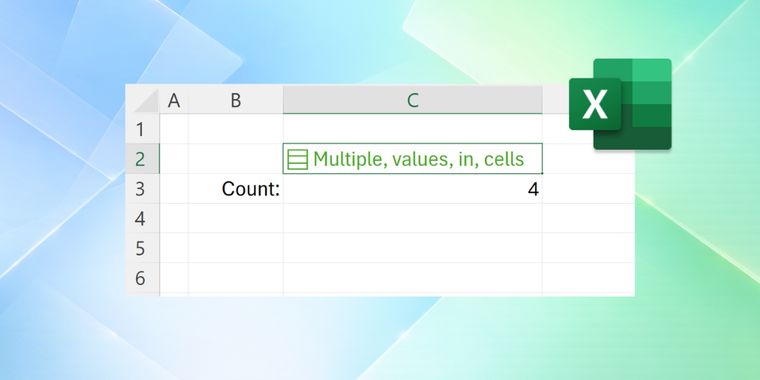

Microsoft rethinks Excel after four decades: single cells can now hold multiple values
After 40 years of operation, Microsoft is fundamentally changing how Excel handles data at the cell level. The company has announced the introduction of lists and arrays in cells, allowing users to store multiple values within a single cell for the first time since the spreadsheet application's inception. The feature, now rolling out to Windows and Mac beta channels, addresses long-standing workflow challenges where users previously resorted to comma-separated text to track multiple data points in one location.
The update introduces native arrays that can exist as cell values or formula results, with sizes and shapes that can even contain nested arrays. Users can prevent array results from spilling across multiple cells by wrapping formula bodies with braces, effectively containing multi-value outputs in a single cell. To support these capabilities, Microsoft added four new functions, FLATTEN, HAS, HASANY, and HASALL, that help manipulate and query array contents. However, compatibility gaps remain: conditional formatting, pivot tables, charts, Power Query, and find-and-replace tools currently cannot fully interact with array-valued cells, signaling that the integration is still in early stages.
Available starting with Windows Version 2610 and Mac Version 16.114, the features remain in preview mode with Microsoft cautioning users against relying on them for critical workbooks until general availability. The company noted that behaviors may change based on feedback collected during the beta period, and some features could be paused, adjusted, or removed. While the announcement represents one of Excel's most significant architectural shifts in its history, widespread adoption will likely depend on how Microsoft resolves current limitations with existing spreadsheet ecosystem tools.



- Spreadsheet App
- Paid
- Proprietary
Related news
External links
- Put multiple values in one cell with lists and arrays in ExcelMicrosoft • Official source
- Excel finally supporting multiple values in single cell, Microsoft explains howNeowin
- Microsoft cells out, crams multiple values into Excel boxesThe Register
- Microsoft Excel Can Now Store Multiple Values in One CellWindows Report
- Microsoft Excel can now put multiple values in a single cellDigital Trends
- Microsoft is breaking a decades-old Excel rule: one cell can now hold an entire list (multiple values in a single cell)Windows Latest
Comments
Technically, list were supported in all spreadsheets as "={ apple ; banana ; tomato }" but now with displayed as one line and with a fancy editor, but it also support nested list (still with peculiar syntax "={ { apple ; { banana } } ; { tomato } }") which is new, and maybe not that useful. So it's straightforward enough for other spreadsheets to implement it in next weeks, at least to be able to still open XLSX files, without waiting for Microsoft to create another standardized version (i.e. updating the ISO/IEC 29500 for connoisseurs) because Microsoft could not care less of respecting its own file format.