



Ardour 9.7 streamlines control surfaces, enhances MIDI editing and adds vertical scrollbar
Ardour 9.7 introduces major updates to digital audio workstation workflows by restructuring the Control Surfaces preferences. Supported hardware controllers are now grouped by vendor, simplifying setup, and each surface gains its own settings button for easier access. The update also provides an empty binding map for generic MIDI controllers and a generic Mackie device file, removing the need to select protocols manually.
Following these device integration improvements, Ardour restores hot-plugging support for a broad array of control surfaces, enabling them to activate automatically when plugged in. This upgrade benefits users who connect multiple external devices during sessions.
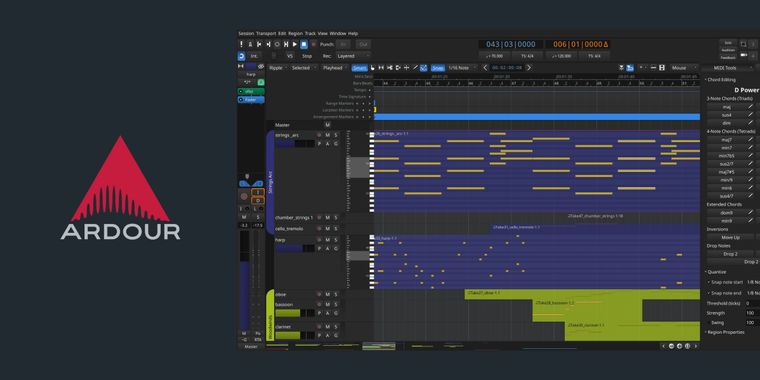
In the area of MIDI editing, the MIDI Tools sidebar, previously known as the MIDI Inspector, is now featured in both the pianoroll and the main editor. This eliminates the old Quantize dialog and centralizes quantization settings. Additionally, the cross cursor for MIDI and automation editing now appears in the inline editor by default, increasing editing consistency.
To help with large session navigation, this release introduces an optional vertical summary pane. It uses track colors for a visual overview and allows users to drag vertically to move through sessions. Rounding out the update are UI improvements like natural sort order, device port connection recall, better Linear Time Code (LTS) syncing, MIDI chase cleanup, pianoroll enhancements, and other minor enhancements and general bug fixes.




- Music Production App
- Paid
- Open Source
Related news
External links
- Ardour 9.7 — What's newArdour DAW • Official source
- Ardour 9.7 Open-Source DAW Improves MIDI Editing, Adds New Vertical Summary9to5Linux
- Ardour 9.7 DAW Released with Better MIDI EditingLinuxiac
- Ardour 9.7 arrives with key improvements for MIDI editing and greater stabilityLinux Adictos
No comments so far, maybe you want to be first?