


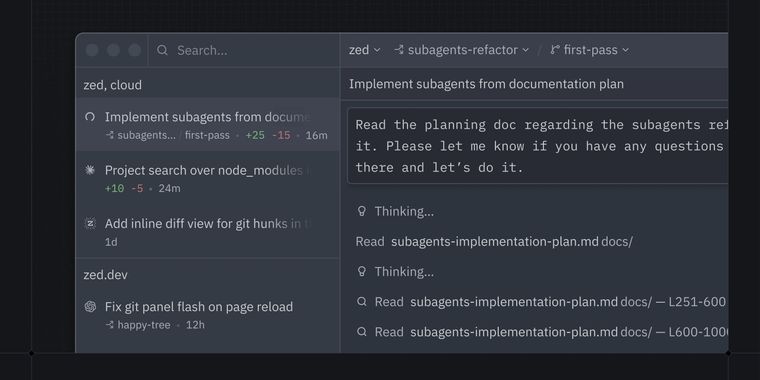

Zed launches parallel agent orchestration with a threads sidebar to control & monitor them
Zed, the modern and fast code editor, now supports parallel agents, allowing users to orchestrate multiple AI agents at the same time within a single window. This change enhances simultaneous workflow management for developers handling diverse tasks.
Alongside this, a new threads sidebar provides precise control over which folders and repositories each agent thread can access. Users can monitor live threads as they run, contributing to greater transparency. The threads sidebar gives a grouped overview of all threads by project. Users can assign agents per thread, mix different agents, and organize work across multiple repositories.
To support growing workflows, the sidebar offers direct controls for starting, stopping, and archiving threads, all from a central location. As teams scale their use of multiple agents over several projects, these controls help maintain clarity and order.
Building on these interface improvements, threads are now docked on the left by default, sitting beside the agent panel, while the project and Git panels have shifted to the right. Panel positions are not fixed, and users may adjust their arrangement by right-clicking icons or changing settings. All parallel agent features operate at 120 frames per second and remain fully open-source. These changes are now available in the latest Zed release.



- Code Editor
- Freemium
- Open Source
Related news
External links
- Introducing Parallel Agents in ZedZed • Official source
- Parallel agents in ZedHacker News
No comments so far, maybe you want to be first?