


Unlock Your Avatar: Microsoft Teams Launches Public Preview of 3D Avatars
Microsoft Teams has launched a public preview of avatars, which allows users to create 3D avatars to use in meetings, providing an alternative to being on camera or using a webcam. The avatars will animate based on users' vocal cues and will also animate when they use Teams emoji reactions or raise their hand feature in a meeting. Microsoft plans to use these avatars in its Microsoft Mesh integration in Teams for 3D meetings.
To create an avatar, users can download the Avatars app from the Teams App store and select from hundreds of combinations to customize an avatar that represents their physical attributes, wardrobe, accessories, and more. Users can access Avatars from the quick tray before joining a Teams meeting, and apply their avatar by selecting More Effects and avatars after joining a meeting. The avatars offer users the ability to add a new layer of choice to their meetings and represent themselves the way they want with customizable avatars and reactions.
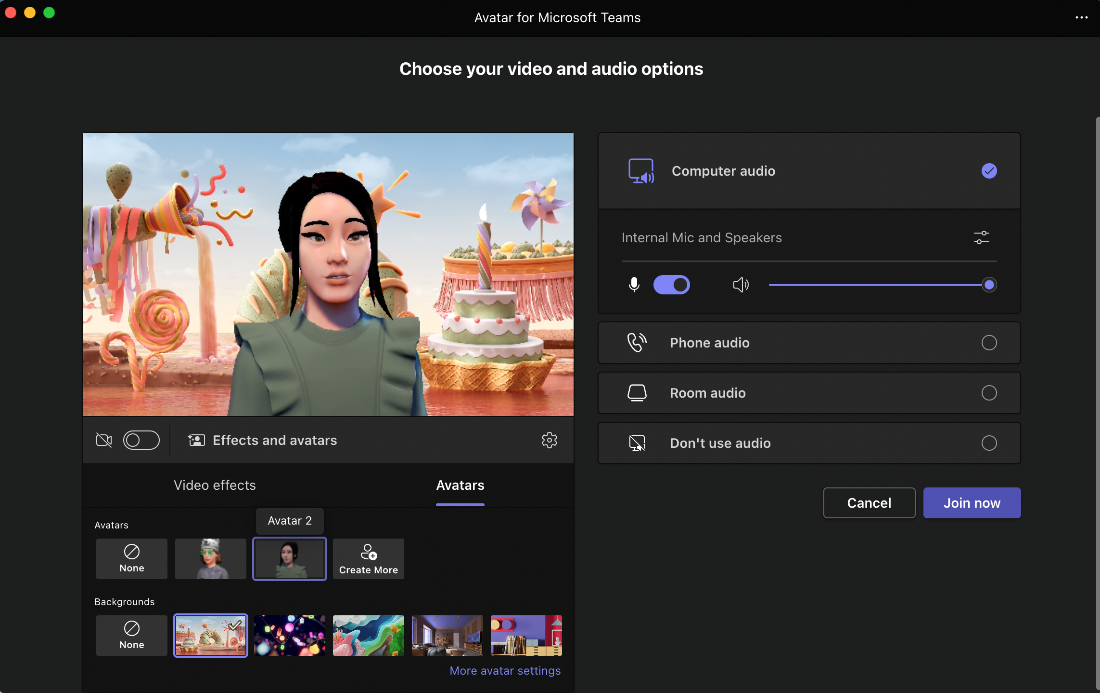
To be able to use this feature, users need to be members of the Teams Public Preview and use Windows or macOS Teams client, you also must be at least 18 years old to use the avatars. IT admins need to set an update policy that turns on Show preview features to enable Teams clients for the Public Preview.

- Group Chat App
- Freemium
- Proprietary
Related news
External links
- Avatars for Microsoft TeamsMicrosoft • Official source
- Avatars for Microsoft Teams on YouTubeMicrosoft • Official source