


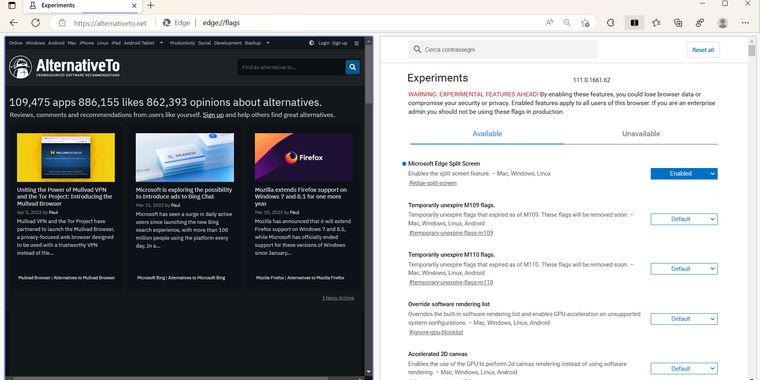

Microsoft Edge has a Hidden Split-Screen Feature
Microsoft Edge now has Split-Screen support, allowing users to view two webpages under one tab. This feature was already available as an experimental feature in January for insiders users, and is now available in the stable version of Microsoft Edge, even if there has been no official announcement.
In order to enable Split-Screen mode, users must open Edge’s “flags” interface by typing edge://flags/#edge-split-screen into the address bar.




No comments so far, maybe you want to be first?
Gu