Windows System and HDD utilities of choice for daily usage

Aleksandr Dikov
Aleksandr DikovList by Aleksandr Dikov, last updated 
Copy a direct link to this comment to your clipboard
  1. Rufus icon
     Like

    Formats USB drives to various file systems and creates bootable USBs from ISOs. Supports MS-DOS/FreeDOS bootable sticks and offers BIOS or UEFI options.

    Cost / License

    • Free
    • Open Source

    Application type

    Platforms

    • Windows
    • PortableApps.com
    Rufus screenshot 1
    Rufus screenshot 2
    Rufus screenshot 3
  2. Recuva icon
     Like

    Retrieve lost files from your PC, recycle bin, or portable devices with a free and user-friendly tool offering deep scans and secure overwrites.

    Cost / License

    • Freemium
    • Proprietary

    Platforms

    • Windows
    • PortableApps.com
    Recuva screenshot 1
    Recuva screenshot 1
    Recuva screenshot 2
    +3
    Recuva screenshot 3
  3. BleachBit icon
     Like

    Erase unnecessary files like cache and cookies, maintain privacy, and optimize disk space on Linux and Windows. Supports various applications and uses.

    Cost / License

    • Free
    • Open Source

    Platforms

    • Mac
    • Windows
    • Linux
    • Blackberry
    • PortableApps.com
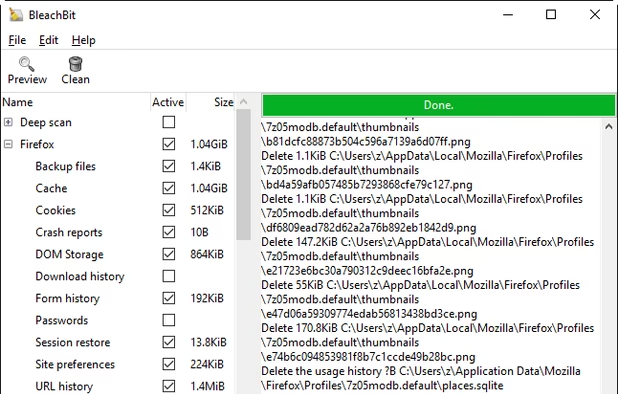
    BleachBit 1.9.3 on Windows 10 showing Firefox preview
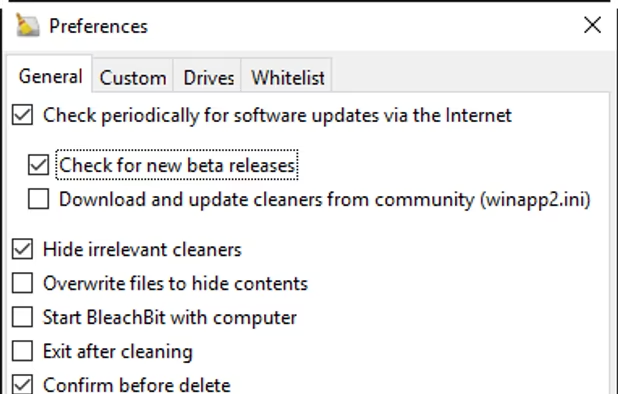
    BleachBit 1.9.3 on Windows 10 showing the Preferences dialog
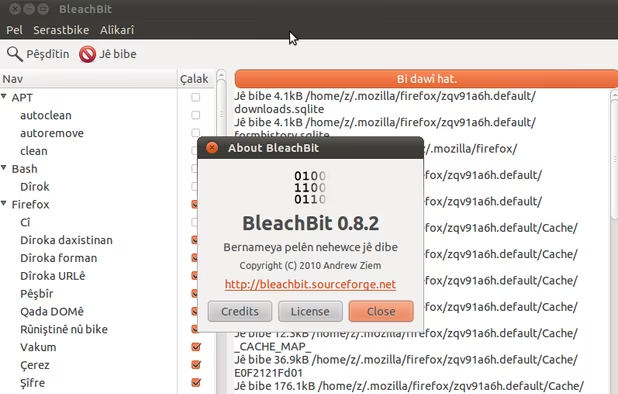
    BleachBit 0.8.2 on Ubuntu 10.10 (Kurdish translation)
  4. CPU-Z icon
     Like

    Freeware system profiler for Windows and Android displays in-depth CPU, RAM, and chipset info, working ad-free, offline, and consumes fewer resources.

    Cost / License

    • Free
    • Proprietary

    Platforms

    • Windows
    • Android
    • PortableApps.com
    CPU-Z screenshot 1
    CPU-Z screenshot 1
    for android
    +1
    for android
  5. Professional Windows diagnostic tool offering real-time hardware monitoring and comprehensive device information, ideal for experts and integrators.

    Cost / License

    • Free Personal
    • Proprietary

    Platforms

    • Windows
    • PortableApps.com
    HWiNFO (32/64) screenshot 1
    HWiNFO (32/64) screenshot 1
  6. ShellMenuView is a small utility that display the list of static menu items that appeared in the context menu when you right-click a file/folder on Windows Explorer

    Cost / License

    • Free
    • Proprietary

    Application types

    Platforms

    • Windows
    ShellMenuView screenshot 1
  7. Shell Extensions are in-process COM objects which extends the abilities of Windows operating system. Most shell extensions are automatically installed by the operating system, but there are also many other applications that install additional shell extension components.

    Cost / License

    • Free
    • Proprietary

    Application types

    Platforms

    • Windows
    • File Explorer
    ShellExView screenshot 1
  8. Autoruns icon
     Like

    Autoruns shows you what programs are configured to run during system bootup or login, and shows you the entries in the order Windows processes them. These programs include ones in your startup folder, Run, RunOnce, and other Registry keys.

    Cost / License

    • Free
    • Proprietary

    Platforms

    • Windows
    • PortableApps.com
    Autoruns screenshot 1
  9. Rapid Environment Editor (RapidEE) is an environment variables editor. It includes an easy to use GUI and replaces the small and inconvenient Windows edit box.

    Cost / License

    • Free
    • Proprietary

    Platforms

    • Windows
    Rapid Environment Editor screenshot 1
  10. The O&O RegEditor makes working with the registration database significantly easier. It comes with an eminently user-friendly application, but it is through its portability that it really makes the life of an Administrator much easier.

    Cost / License

    • Free
    • Proprietary

    Application type

    Platforms

    • Windows
    O&O RegEditor screenshot 1
    O&O RegEditor screenshot 1
    O&O RegEditor screenshot 2
    +1
    O&O RegEditor screenshot 3
  11. BlueLife Hosts Editor is a portable freeware hosts-file editor and allows you to easily add/delete, block, and update domain names to your hosts file.

    Cost / License

    • Free
    • Proprietary

    Platforms

    • Windows
    BlueLife Hosts Editor screenshot 1
    BlueLife Hosts Editor screenshot 1
    BlueLife Hosts Editor screenshot 2
  12. Free and open-source tool for batch uninstalling multiple apps with minimal input, removing portable, protected, and damaged software, and cleaning up leftovers.

    Cost / License

    • Free
    • Open Source

    Platforms

    • Windows
    Bulk Crap Uninstaller screenshot 1
    Bulk Crap Uninstaller screenshot 1
No comments so far, maybe you want to be first?
Gu