• GeForce NOW icon
  • TizenBrew icon
  • Disney+ icon
  • Moonlight Game Streaming icon
  • Jellyfin icon

Tizen

tomyan112tomyan1125 appsUpdated
Copy a direct link to this comment to your clipboard

https://www.samsung.com/us/tvs/smart-tv/samsung-tv-apps/

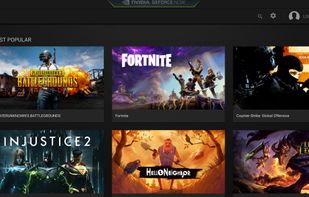
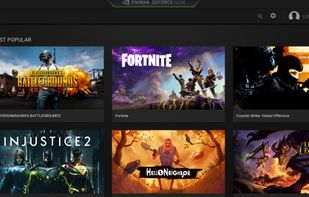
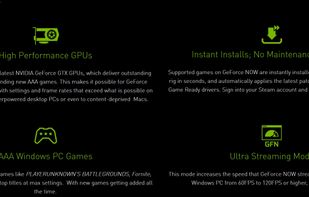
  1. Enjoy ad-free gaming in 1080p at 120fps on PC blockbusters, streaming via cloud supercomputers. Supports automatic updates and two-factor authentication.

    Cost / License

    • Freemium
    • Proprietary

    Application type

    Platforms

    • Windows
    • Mac
    • Online
    • Android
    • Android Tablet
    • Tizen OS
    GeForce NOW screenshot 1
    GeForce NOW screenshot 2
    GeForce NOW screenshot 3
  2. TizenBrew icon
     Like

    A way to experience modded websites and you can install newer apps without fighting with Tizen Studio

    Cost / License

    • Free
    • Open Source

    Platforms

    • Tizen OS
  3. Disney+ icon
     Like

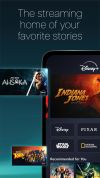
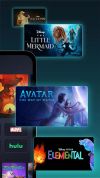
    Enjoy movies, series, originals, and more from Disney, Pixar, Marvel, and more, including downloads for offline viewing and multiple device support.

    Cost / License

    • Paid
    • Proprietary

    Application type

    Platforms

    • Online
    • Android
    • iPhone
    • iPad
    • Android Tablet
    • Playstation
    • Xbox
    • Apple TV
    • Fire TV
    Disney+ screenshot 1
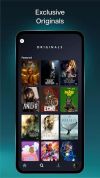
    Disney+ screenshot 2
    +3
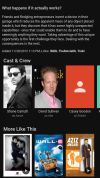
    Disney+ screenshot 3
  4. Moonlight allows you to stream your collection of games from your GameStream-compatible PC to any supported device and play them remotely. Moonlight is perfect for gameplay on the go without sacrificing the graphics quality of your gaming computer.

    Cost / License

    • Free
    • Open Source

    Application type

    Platforms

    • Windows
    • Mac
    • Linux
    • Chrome OS
    • Android
    • iPhone
    • iPad
    • Android Tablet
    • Playstation
    • Xbox
    Moonlight Game Streaming screenshot 1
    Moonlight Game Streaming screenshot 2
    Moonlight Game Streaming screenshot 3
    Moonlight Game Streaming screenshot 4
    tomyan112tomyan112’s note

    mkdir tpg cd tpg git clone https://github.com/OneLiberty/moonlight-chrome-tizen cd moonlight-chrome-tizen docker build -t moonlight-tizen . docker run -it --rm moonlight-tizen sdb connect YOUR_TV_IP_ADDRESS sdb devices tizen install -n Moonlight.wgt -t YOUR_DEVICE_ID exit

  5. Jellyfin icon
     Like

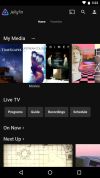
    Free open-source media system alternative to proprietary options, supports Chromecast, 4K streaming, plugin extensions, with privacy focus.

    Cost / License

    • Free
    • Open Source

    Application type

    Platforms

    • Windows
    • Mac
    • Linux
    • Chrome OS
    • Self-Hosted
    • Android
    • iPhone
    • iPad
    • Android Tablet
    • Kindle Fire
    Jellyfin screenshot 1
    Jellyfin screenshot 2
    +5
    Jellyfin screenshot 3

No comments so far, maybe you want to be first?