• Kolab Now icon
  • Tresorit icon
  • Todo.txt icon
  • Simpletask Cloudless icon
  • Fastmail icon

Missing features

John FastmanJohn Fastman5 appsUpdated
Copy a direct link to this comment to your clipboard

This is a list of features I would like to see implemented in apps that are otherwise useful, or very nearly useful, but where the absence of the features makes it hard for me to adopt.

  1. Kolab Now icon
     Like

    Kolab Now provides a suite of intuitive apps in a user friendly environment to make your day to day online comms easier, smarter and most importantly; secure.

    Cost / License

    • Paid
    • Open Source

    Application type

    Platforms

    • Online
    • Software as a Service (SaaS)
    • DAVx5
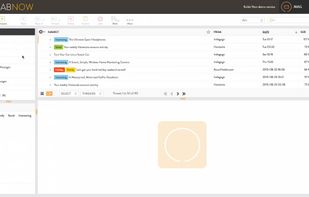
    Kolab Now email
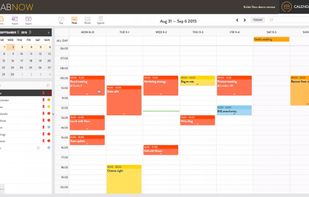
    Kolab Now calendar
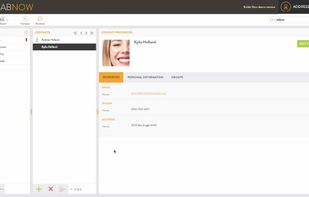
    Kolab Now contacts
    John FastmanJohn Fastman’s note

    Can't subscribe to public .isc calendar. How embarrassing for an organization that deals with collaboration.

File storage / backup / sync

  1. Tresorit icon
     Like

    End-to-end encrypted file sync and sharing with secure workspace, robust permission management, two-factor authentication, and mobile offline access.

    Cost / License

    • Paid
    • Proprietary

    Application type

    Platforms

    • Mac
    • Windows
    • Linux
    • Android
    • iPhone
    • Android Tablet
    • iPad
    Access encrypted documents from any device and stay in sync with your team.
    Securely share anything within the company, or with clients and contractors.
    Replace attachments with encrypted links. Send files even directly from Outlook with download limit, expiry data and password protection.
    +5
    Keep track of changes and stay safe and productive. Users can roll back to any previous version of a document.
    John FastmanJohn Fastman’s note

    I highly recommend Tresorit, despite the fact it's proprietary and expensive because of its enormous privacy advantages over things like Dropbox and Google Drive: Tresorit uses a "zero-knowledge" encryption model, stores users data in Switzerland, and great apps for all OSs, including Linux. User data is synced in folders called Tresors but the app is crying out for two additional features:

    • Yubikey support
    • Set passwords for individual Tresors

Productivity apps

  1. Todo.txt icon
     Like

    Track your tasks and projects in a plain text file, todo.txt. A todo.txt is software and operating system agnostic; it's searchable, portable, lightweight and easily manipulated.

    Cost / License

    • Free
    • Open Source

    Application type

    Platforms

    • Mac
    • Windows
    • Linux
    • BSD
    Todo.txt screenshot 1
    John FastmanJohn Fastman’s note

    There are many todo.txt-based apps. It's a wonderful idea to keep todos via an open, easy-to-transfer format. But, it's desperately missing a feature for recurring tasks (e.g. complete a task, have it cloned for a week later). That makes setting things like "pay bills" every month a real pain. A script called "Recurrence" has been developed, but implemented by very few todo.txt-based apps, including the absolutely excellent Simpletask Cloudless, although that, in turn, is only available for Android.

  2. A simple task list manager that strives to have just enough features to do GTD, but no more. Based on the Todo.txt icon Todo.txt app so a todo.txt file.

    Cost / License

    • Free
    • Open Source

    Application type

    Platforms

    • Android
    • Android Tablet
    • F-Droid
    Simpletask Cloudless screenshot 1
    Simpletask Cloudless screenshot 1
    Simpletask Cloudless screenshot 2
    +3
    Simpletask Cloudless screenshot 3
    John FastmanJohn Fastman’s note

    I feel very reluctant to complain about this app because the developer has done a truly fantastic, fantastic job here. It is easily the best todo.txt-based app I've yet seen. It even supports recurring tasks, which very few todotxt-based apps do. For which reason I can't help but ask: Why, oh why is this little gem available only on Android? Mr, Jensen, please develop a desktop version. Linux would be fantastic.

  3. Fastmail icon
     Like

    Secure email hosting with webmail, IMAP, and POP protocols, ideal for individuals and businesses. Includes junk mail protection, file sharing, and 1Password integration.

    Cost / License

    • Paid
    • Proprietary

    Application type

    Platforms

    • Mac
    • Windows
    • Linux
    • Online
    • Android
    • iPhone
    • Android Tablet
    • iPad
    • Flathub
    • Flatpak
    Fastmail screenshot 1
    Inbox
    Alias
    +6
    Calendar
    John FastmanJohn Fastman’s note

    Fastmail is generally a fantastic Gmail replacement: Firstly, you don't pay with your privacy (it costs a small annual fee), and you get a ton of features. But, it's missing:

    Calendar:

    • Search function
    • Repeat events only on weekdays

No comments so far, maybe you want to be first?