• Cattr icon
  • Kimai icon
  • Hubstaff icon
  • Traqq icon
  • Worksnaps icon
  • +2

Best Time Tracking Tools with Work Dairy of Screenshots & Reports (Free & Paid)

SharifSharif7 appsUpdated
Copy a direct link to this comment to your clipboard
  1. Cattr icon
     Like

    Cattr is a free open-source self-hosted time tracker with desktop clients for windows, mac, linux. The key features are built-in screenshot capture, activity detection.

    Cost / License

    • Free
    • Open Source

    Application type

    Platforms

    • Mac
    • Windows
    • Linux
    • Online
    • Self-Hosted
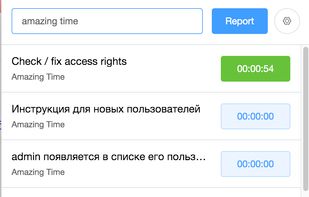
    Desktop client
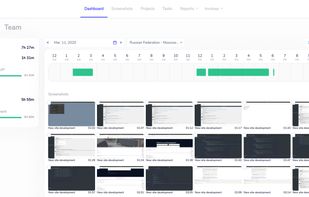
    User's dashboard
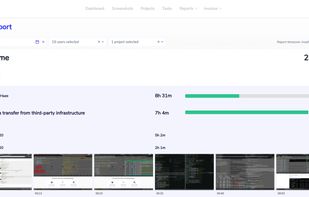
    Projects report
    +3
    Cattr screenshot 3
  2. Kimai icon
     Like

    Kimai is a free open source time tracker. It tracks work time and prints out a summary of your activities on demand. Yearly, monthly, daily, by customer, by project, by action …

    Cost / License

    • Freemium
    • Open Source

    Application type

    Platforms

    • Mac
    • Windows
    • Linux
    • Online
    • Self-Hosted
    • Cloudron
    Track and manage your (work) times with Kimai or export them.
    Dashboard shows statistical information about your time-tracking records and more
    Print invoices for your customers directly with Kimai in several formats
    +1
    Kimai (Legacy version 1)
  3. Hubstaff icon
     Like

    Tracks time with second-level accuracy, takes screenshots, monitors user activity, tracks app and website usage, supports GPS location, automates payroll, and integrates with 30+ platforms.

    Cost / License

    • Paid
    • Proprietary

    Application type

    Platforms

    • Mac
    • Windows
    • Linux
    • Online
    • Android
    • iPhone
    • Chrome OS
    Hubstaff screenshot 1
    Hubstaff screenshot 1
    Hubstaff screenshot 2
    +2
    Hubstaff screenshot 3
  4. Traqq icon
     Like

    Traqq is a time tracking platform that helps teams manage projects, track billable hours, analyze workloads, and improve visibility into work without intrusive monitoring.

    Cost / License

    • Freemium
    • Proprietary

    Application type

    Platforms

    • Mac
    • Windows
    Traqq screenshot 1
    Traqq screenshot 1
    Traqq screenshot 2
    +2
    Traqq screenshot 3
    SharifSharif’s note

    Traqq is free for up to 3 seats and $7 for more seats dose not have limitation for free, and it dose take screenshots as well.

  5. Worksnaps icon
     Like

    Worksnaps is a time-tracking system which enable verification of time and work. By using Worksnaps Client, a program running on users' desktop, the users' work activities are sampled and sent to the server. We call them "worksnaps".

    Cost / License

    • Freemium
    • Proprietary

    Application type

    Platforms

    • Windows
    • Online
    Series of worksnaps submitted by a user which show Time Tracked with Screenshots
    Details of a worksnaps
    Graphical report of logged time
    SharifSharif’s note

    Worksnaps is a great it does have a free plan it's just one project and one user so it's just for testing only as start so it's not really useful, and STARTER plan as well for $20 per month and 4 Users & Unlimited Projects, Unlimited Observers

  6. TopTracker enables team leads and individuals to effortlessly track progress with transparent and intuitive reports.

    Cost / License

    • Free
    • Proprietary

    Application type

    Platforms

    • Mac
    • Windows
    • Linux
    • Online
    TopTracker screenshot 1
    TopTracker screenshot 1
    TopTracker screenshot 2
    SharifSharif’s note

    TopTracker is a good tool Developed by Toptal, LLC and they offer free tracking but the issue with this is that it's required you to verify your identity in order to use the tool, which is weird that requires your ID in order to use it.

No comments so far, maybe you want to be first?

Best Time Tracking Tools with Work Dairy of Screenshots & Reports (Free & Paid) | AlternativeTo