Apps tagged with 'windows-optimization'

All apps in Apps tagged with 'windows-optimization' category. Use the filters below to narrow down your search. 
Copy a direct link to this comment to your clipboard
  1. Pale Moon icon
     400 likes

    An open-source web browser forked from Mozilla Firefox. It focuses on security, efficiency, customization, and no data gathering.

    Cost / License

    Application type

    Platforms

    • Mac
    • Windows
    • Linux
    • BSD
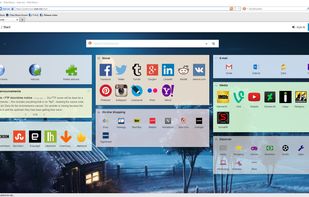
    Pale Moon screenshot 1
    Pale Moon screenshot 1
    Pale Moon screenshot 2
    +1
    Android Version (Discontinued)
    198 alternatives
    3.6
    Good26 reviews
  2. W10Privacy icon
     44 likes

    The by default highly questionable set options concerning privacy and data protection in Windows 10 brought me to the idea for the development of this little program. Microsoft generously enables everybody to change the concerning settings, but hides them in countless menus...

    Cost / License

    • Free
    • Proprietary

    Application type

    Platforms

    • Windows
    W10Privacy screenshot 1
    W10Privacy screenshot 1
    W10Privacy screenshot 2
    +1
    W10Privacy screenshot 3
    40 alternatives
  3. XdN Tweaker icon
     10 likes

    Xdn Tweaker is a free Windows tweaking program that can perform a number of useful and interesting Windows customizations. It features some interesting tweaks and a well designed interface.

    Cost / License

    • Free
    • Proprietary

    Application type

    Platforms

    • Windows
    XdN Tweaker screenshot 1
    XdN Tweaker screenshot 1
    38 alternatives
  4. Ashampoo AntiSpy for Windows® 10 gives you an overview of all critical system settings and allows you to disable each one at the click of a button. Two included presets allow you to disable any reporting to Microsoft or rely on recommendations by our security experts.

    Cost / License

    • Free
    • Proprietary

    Platforms

    • Windows
    Ashampoo AntiSpy for Windows 10 screenshot 1
    35 alternatives
  5. Blackbird icon
     7 likes

    Disables telemetry, removes unwanted background services and apps, restores privacy, prevents data collection, and applies all privacy tweaks automatically.

    Cost / License

    • Free
    • Proprietary

    Application type

    Platforms

    • Windows
    Main window
    Help
    STD Mode
    +1
    Recovery Mode
    35 alternatives
  6. lawlietfox icon
     3 likes

    lawlietfox is a custom Firefox build. The purpose of lawlietfox is providing better performance than official builds.

    Cost / License

    • Free
    • Proprietary

    Application type

    Alerts

    • Discontinued

    Platforms

    • Windows
    22 alternatives
  7. pcxfirefox icon
     4 likes

    pcxfirefox is a custom Firefox build, its project purpose is improving Firefox's performance and keeping a certain stability. Testing the popular compilers' overall performance.

    Cost / License

    • Free
    • Open Source

    Application type

    Alerts

    • Discontinued

    Platforms

    • Windows
    21 alternatives
  8. UVK icon
     1 like

    UVK was initially created in the beginning of 2010 as a simple but powerful manual virus removal and system repair tool.

    Cost / License

    • Freemium
    • Proprietary

    Platforms

    • Windows
    1 alternatives
  9. fx-ayakawa icon
     1 like

    Ayakawa's private Firefox community builds.

    Cost / License

    • Free
    • Proprietary

    Platforms

    • Windows
  10. JENI icon
     Like

    JENI speeds up and stabilizes your Mac or PC with one small easy to run program by cleaning, repairing, and resetting core system components and overwriting deleted content, with custom reports and no subscriptions and no ads.

    Cost / License

    • Paid
    • Proprietary

    Platforms

    • Mac
    • Windows
    MAC version step 1: On first launch JENI shows Activation. Copy your license key from your order page or email. Paste it into the field. Check the Terms & Conditions box. Click Activate. Your JENI for Mac unlocks and is ready to use.
    MAC version step 2: After you enter your Mac admin password, JENI starts automated maintenance. A loading screen appears while tasks are prepared. It scans, cleans, and optimizes in the background. No action needed—just let JENI finish.
    MAC version step 3: JENI runs a full maintenance session, averaging ~5 minutes. You’ll see live updates as it securely overwrites free space and removes deleted data. Example: 5 GB permanently erased. Multiple overwrite passes maximize safety. Progress messages show the cleanup scale.
    +5
    MAC version step 4: When JENI finishes, you’ll see a confirmation. A Summary Folder—HTML report, error log, and console log—is saved to Downloads. Click OK to open it and review exactly what was cleaned, overwritten, and verified during the session.