Get easy access to thousands of special symbols through composing of characters on the keyboard in ways that are very easy to remember.
Cost / License
- Free
- Open Source
Alerts
- Discontinued
Platforms
- Windows
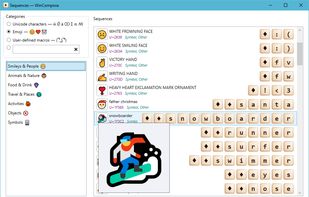

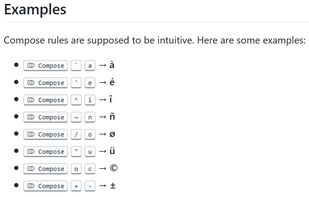
Get easy access to thousands of special symbols through composing of characters on the keyboard in ways that are very easy to remember.


KCharSelect is a tool to select special characters from all installed fonts and copy them into the clipboard.

Input all characters in Unicode with Unicode Pad. And input string can be copied to the clipboard. You can find out where selected character is in list. By long clicking, larger character and code point will be shown. Favorite characters can be memorized.


Coding on your mobile device just got easier. No more switching between numbers, symbols and alphabets.


Text-Utils.com provides tools for formatting source code, converters, tools for handling text, such as remove duplicate characters, empty lines, text sorter and many others.

A basic app that allows you to find and copy special characters to your clipboard. Click or tap on a character and it will be copied to your clipboard.

A PC and Android application allowing to type characters not found on ordinary keyboards. Focused mainly on African languages.


Small and fast utility that can generate a whole range of Unicode symbols or the range that you set for it. The app can export the list of symbols horizontally (by default) or vertically (in that case you also can show index number as option).


Extra Keys is a software input panel for typing international accented and other special characters.

Emoji and symbol keyboard with search, optimized for maximum speed. Available as an extension and a standalone website.


AccentCompose is a unified US keyboard hardware-based European multi-layout, keyboard driver and custom Compose key system. All national layouts are compatible with each other and can be switched on the fly.







