Apps tagged with 'present'

All apps in Apps tagged with 'present' category. Use the filters below to narrow down your search. 
Copy a direct link to this comment to your clipboard
  1. Wooclap icon
     28 likes

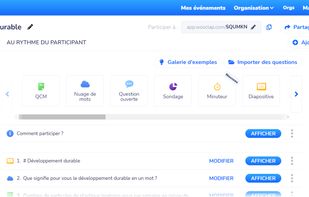
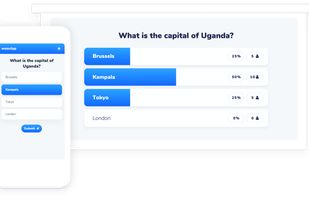
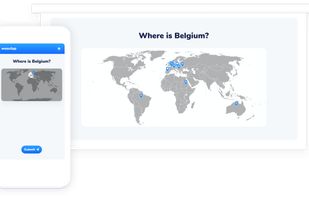
    The most complete, simple and intuitive audience responses system that helps you engage your audience during a live conference, a corporate meeting or inside a classroom.

    Cost / License

    • Freemium
    • Proprietary

    Application types

    Platforms

    • Online
    Wooclap screenshot 1
    Wooclap screenshot 1
    Wooclap screenshot 2
    +3
    Wooclap screenshot 3
    58 alternatives
  2. PhoneBeamer icon
     3 likes

    With PhoneBeamer you can present your phones screen in a browser simply by scanning a QR Code on the website https://phonebeamer.marekworks.at. And your phones-screen doesn't get published to the whole internet - just in your local network.

    Cost / License

    • Freemium
    • Proprietary

    Platforms

    • Android
    • Android Tablet
    PhoneBeamer screenshot 1
    PhoneBeamer screenshot 1
    PhoneBeamer screenshot 2
    2 alternatives
  3. MeetingPulse icon
     14 likes

    An interactive platform designed to enhance audience engagement during meetings, events, and presentations offering a suite of tools including live polling, Q&A sessions, surveys, quizzes, and feedback collection, enabling real-time interaction between presenters and their audiences.

    Cost / License

    • Freemium
    • Proprietary

    Application types

    Platforms

    • Mac
    • Windows
    • Online
    • iPhone
    • Chrome OS
    • Android Tablet
    • iPad
    • Software as a Service (SaaS)
    • Android
    • Google Chrome
    Real-time reports with key visuals
    Real-time audience feedback and event tech platform
    Q&A with AI Summaries
    +4
    Real-Time Polling
    47 alternatives
  4.  1 like

    Do you think Santa is always kind and generous? You're about to change your mind!

    Cost / License

    • Paid
    • Proprietary

    Platforms

    • iPhone
    • iPad
    StopSanta screenshot 1
    StopSanta screenshot 1
    StopSanta screenshot 2
  5. Your show. Your way—Keep the pace of your presentation flowing smoothly with the Presenter Display feature. While your presentation appears on the main display for your audience, you can see the current and next slides, your slide notes, a clock, and a timer on a second display.

    Cost / License

    • Paid
    • Proprietary

    Platforms

    • iPhone
    Keynote Remote screenshot 1
    3 alternatives