Apps tagged with 'pixelate'

All apps in Apps tagged with 'pixelate' category. Use the filters below to narrow down your search. 
Copy a direct link to this comment to your clipboard
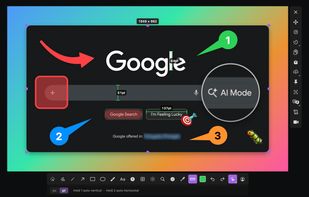
  1. Screen Master is a free, easy-to-use, no rooting required screenshot & photo markup tool. With Screen Master, you can capture screen by touching the floating button or shaking device, lets you take screenshot on your tablet, phone or other Android device the easy way!

    Cost / License

    • Freemium
    • Proprietary

    Application type

    Platforms

    • Android
    ScreenMaster: Screenshot & Lon screenshot 1
    ScreenMaster: Screenshot & Lon screenshot 1
    ScreenMaster: Screenshot & Lon screenshot 2
    +5
    ScreenMaster: Screenshot & Lon screenshot 3
    10 alternatives
  2. Pixelot icon
     2 likes

    Pixelot provides an easy method for blurring or censoring regions of a photo with pixels. Use this app to hide faces, license plates, names & addresses, etc. Then share your picture on Google+, Facebook, Twitter, email, and more*.

    Cost / License

    • Freemium
    • Proprietary

    Application type

    Platforms

    • Android
    • Android Tablet
    Pixelot screenshot 1
    Pixelot screenshot 1
    Pixelot screenshot 2
    +3
    Pixelot screenshot 3
    15 alternatives
  3. Online Tools House is a collection of free browser-based tools designed to simplify everyday digital tasks across multiple categories, including image editing, web design, and text processing.

    Cost / License

    • Free
    • Proprietary

    Platforms

    • Online
    Main dashboard with categorized access to all available image, CSS, and text tools.
    Image to Pixel Art tool showing before and after conversion with adjustable pixelation settings.
    Blur Image tool with side-by-side comparison and adjustable blur intensity for photos.
    +2
    CSS Gradient Generator with real-time preview, color controls, and ready-to-use CSS output.
    56 alternatives
  4. The Deep-Shot Converter is used to combine photos with a wide shooting angle and such with deep zoom, into single images with an exponential pixel grid. It combines, increasing one picture’s impact and at the same time saves lots of memory, as the files mainly consist out of...

    Cost / License

    • Paid
    • Proprietary

    Platforms

    • Windows
    Deep-Shot Converter screenshot 1
  5. Hidden app helps you in the most easiest way, to protect your sensitive parts by hide them with an opaque cover. Also you can hide parts of the text from image with a white cover and after printing you can redact the image where the cover were placed.

    Cost / License

    • Paid
    • Proprietary

    Platforms

    • Mac
    Hidden App screenshot 1
    Hidden App screenshot 1
    Hidden App screenshot 2
    +1
    Hidden App screenshot 3
  6. Ditherdragon is a desktop tool for converting images into pixel art. Import an image and specify settings like resolution, dithering options and color palette and instantly get a beautiful pixelart version.

    Cost / License

    • Paid
    • Proprietary

    Platforms

    • Windows
    • Linux
    Ditherdragon screenshot 1
    11 alternatives
  7. Pixelate Image Online: Upload and convert image to pixel art online, to get pixelated images. Use our Image Pixelator as a pixel art maker, generator & creator.

    Cost / License

    • Free
    • Proprietary

    Application type

    Platforms

    • Online
    Pixelate Image Open Graph
    11 alternatives