Apps tagged with 'engineering-optimization'

All apps in Apps tagged with 'engineering-optimization' category. Use the filters below to narrow down your search. 
Copy a direct link to this comment to your clipboard
  1. fxSolver icon
     60 likes

    Online math solver, equation editor and database, graphing calculator and science/engineering problem helper.

    Cost / License

    • Free
    • Proprietary

    Application type

    Platforms

    • Online
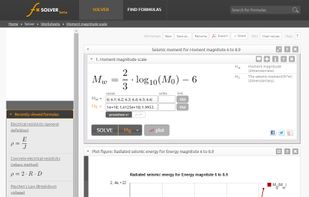
    Solver page
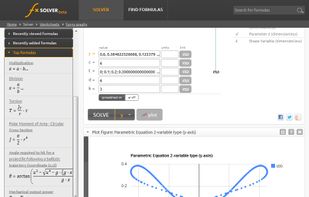
    Plot sample
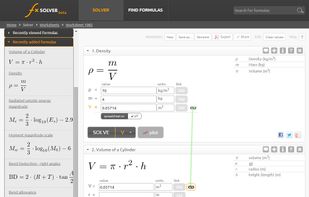
    Variable Linking
    +8
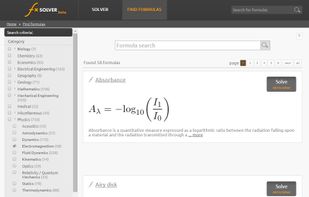
    Formula Search
    152 alternatives
  2. Teamplify icon
     2 likes

    Teamplify is a team management suite that improves the productivity of software development teams. Highlights:

    Cost / License

    • Paid
    • Proprietary

    Platforms

    • Self-Hosted
    • Software as a Service (SaaS)
    Team Calendar collects the data from your team collaboration tools - GitHub, Jira, Slack, Zoom, and others (12 integrations total). Vacations, sick days, and national holidays are also there, so you can see what your teammates were doing and when they were offline. Click on any day and see the details.
    Your teammates can add their availability status right on the calendar. National holidays for 200+ countries are already built in. Turn on Slack, Mattermost, or email notifications to keep your team in sync about the work schedule
    You can often get a sense of how your team is doing by simply looking at the data. It becomes much easier when all data is in one place.
    +2
    Teamplify shows how long each task was in progress, basing on the information from your task tracker and work schedule
    16 alternatives
  3. Swift Calcs icon
     17 likes

    The Collaborative Computational Notebook Built for Modern Engineering. Enter math as it appears on paper, get instantaneous results, and share your calculations with colleagues and clients. No special syntax, no software, no headaches, no kidding.

    Cost / License

    • Paid
    • Proprietary

    Platforms

    • Online
    Swift Calcs screenshot 1
    Swift Calcs screenshot 1
    47 alternatives
  4. DWSIM icon
     4 likes

    DWSIM is an open-source CAPE-OPEN compliant chemical process simulator for Windows and Linux. Built on the top of the Microsoft .NET 4.0 and Mono Platforms and featuring a rich Graphical User Interface, DWSIM allows chemical engineering students and chemical engineers to better...

    Cost / License

    Platforms

    • Windows
    • Linux
    • Mac
    DWSIM screenshot 1
    DWSIM screenshot 1
    6 alternatives
  5. Valispace icon
     1 like

    Valispace is a co-engineering platform that allows companies that develop complex products to bring them to market faster, helping engineers escape from document hell. It brings all loose engineering data into one central place and helps streamline engineers’ efforts from...

    Cost / License

    • Paid
    • Proprietary

    Platforms

    • Software as a Service (SaaS)
    34 alternatives
  6. Aspen Plus icon
     4 likes

    Aspen Plus is a market-leading process modeling environment for conceptual design, optimization, and performance monitoring for the chemical, polymer, specialty chemical, metals and minerals, and coal power industries.

    Cost / License

    • Paid
    • Proprietary

    Platforms

    • Windows
    The customizable multi-panel workspace for quick access to data and results.
    14 alternatives
  7. EES is a general equation solver that can solve thousands of coupled non-linear algebraic and differential equations. EES includes a library of thermodynamic and transport properties for hundreds of substances.

    Cost / License

    • Paid
    • Proprietary

    Platforms

    • Mac
    • Windows
    Engineering Equation Solver screenshot 1
    Engineering Equation Solver screenshot 1
    Engineering Equation Solver screenshot 2
    +1
    Diagram of an Organic Rankine Cycle
    8 alternatives
  8. COCO (CAPE-OPEN to CAPE-OPEN) is a free-of-charge CAPE-OPEN compliant steady-state simulation environment consisting of the following components:

    Cost / License

    • Free
    • Proprietary

    Platforms

    • Windows
    COCO Simulator screenshot 1
    COCO Simulator screenshot 1
    COCO Simulator screenshot 2
    +4
    COCO Simulator screenshot 3
    5 alternatives
  9. CHEMCAD icon
     1 like

    CHEMCAD is Chemstations’ intuitive suite of chemical process simulation software that broadens an engineer’s capabilities and increases productivity. CHEMCAD supercharges an engineer’s efficiency when facing the toughest chemical process models or addressing day-to-day...

    Cost / License

    • Paid
    • Proprietary

    Platforms

    • Windows
    Screen shot of flow sheet
    5 alternatives
  10. E3.series icon
     Like

    E3.series is a true concurrent electrical engineering environment supporting advanced requirements for electrical documentation, cabinet and wire harness design and manufacturing outputs. E3.series facilitates an efficient and accurate design and manufacturing process for...

    Cost / License

    • Paid
    • Proprietary

    Platforms

    • Windows
    Design with a vast library of pre-designed, pre-approved and tested components

Reduce rework by using pre-approved electrical/pneumatic/hydraulic library parts.

Customize the component library to exactly the ones you and your company need.  No more confusion about which components to use. 

Now you can design with pre-approved parts and make the right choices as you are designing.
    Design with Drag and Drop

Design with a very simple interface

With E3 Schematic, you can create your electrical wiring with simple drag and drops from the elements library on the left to the drawing document on the right.
    Easily Connect Your Devices

No more drawing each wire connection with E3’s single-click wiring feature

Just select the 2 devices you want to connect and E3 will add the wires from one to the other. If you move any of the devices later on, those connections will remain.
    +4
    Do your wire numbering automatically

Prevent duplicates with unique reference numbers 

You  can get a sequential, unique reference for each wire to prevent duplication and ensure an accurate design.  

All you have to do is set the prefix and wire separator depending on the circuit functionality and signal classification, and voila, numbering is done for you.
    23 alternatives
  11. Discover Better Designs, Faster. Predicting the real-world performance of a product requires simulation tools that span a variety of engineering disciplines. STAR-CCM+ is an all-in-one solution that delivers accurate and efficient multidisciplinary technologies in a single...

    Cost / License

    • Paid
    • Proprietary

    Platforms

    • Windows
    • Linux
    Simcenter STAR-CCM+ screenshot 1
    Simcenter STAR-CCM+ screenshot 1
    Simcenter STAR-CCM+ screenshot 2
    +5
    Simcenter STAR-CCM+ screenshot 3
    2 alternatives
  12. MEPcontent is the content library for every MEP engineer. On this site you will find up-to-date graphic and parametric product information that is ready to use in any BIM process.

    Cost / License

    • Free
    • Proprietary

    Platforms

    • Online
    MEPcontent screenshot 1
    MEPcontent screenshot 1