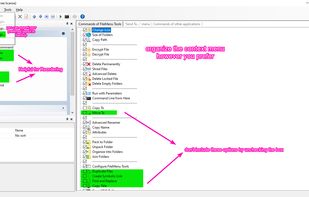
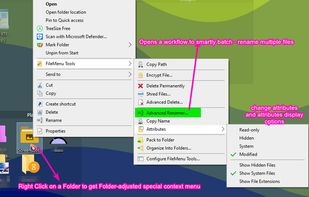
Customize right-click menus in Windows Explorer with built-in file operations, custom commands, symbolic links, folder sync, and advanced context controls.
Cost / License
- Freemium
- Proprietary
Application types
Platforms
- Windows
- File Explorer



Customize right-click menus in Windows Explorer with built-in file operations, custom commands, symbolic links, folder sync, and advanced context controls.


A Windows Explorer add-on that adds a contextual menu item on all files and folders allowing the user to copy the path in various formats. Idea copied from "Path Copy". Available at https://pathcopycopy.github.io/.


This tool discovers (finds) and automatically fixes paths that are tool long. Why waste time to find and move each file as other tools force you to do?.

Path2Clipboard adds a submenu in rightclick menu. It allows to copy a file path in clipboard in a different ways.


"ClipboardPath" software adds a new command "Copy Path to Clipboard" to the context menu for files and folders. Pasting the complete filename or foldername into any dialog or editor is just a mouse click away. You always get the full path.


Ninotech Path Copy is an english shell extension that enables you to copy the path of a file or directory to the Clipboard from inside the Windows Explorer. All you have to do is to open the Windows Explorer, right-click the item(s) of interest and choose "Copy Path"...


4dots Copy Path to Clipboard is a free small shell extension that extends the right click menu of Windows Explorer and allows you to copy the path of the selected files or folders (one or multiple) to the clipboard.