Apps tagged with 'Auto Captions'

All apps in Apps tagged with 'Auto Captions' category. Use the filters below to narrow down your search. 
Copy a direct link to this comment to your clipboard
  1. EveryCord icon
     2 likes

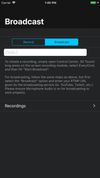
    EveryCord is a free screen recorder and live streaming app for iPhone and iPad from Symaro, LLC, on the App Store since February 2018. It records your screen with app audio, your microphone or both, at up to 60 fps, with no watermark and no time limit.

    Cost / License

    • Free
    • Proprietary

    Application type

    Platforms

    • iPhone
    • iPad
    EveryCord screenshot 1
    EveryCord screenshot 2
    EveryCord screenshot 3
    23 alternatives
  2. AI-powered tool for auto-generating accurate animated subtitles, customizing fonts and styles, exporting professional-quality videos for social media platforms.

    Cost / License

    • Freemium
    • Proprietary

    Application type

    Platforms

    • Online
    AnimateCaptions screenshot 1
    52 alternatives
  3. Subtitles Ready turns the speech in a video into timed captions you can edit, style and export. Choose a video, let the app detect the spoken language or pick it yourself (25 languages, including English, Spanish, Portuguese, German, French and Italian), and every word is timed...

    Cost / License

    • Paid
    • Proprietary

    Application type

    Platforms

    • Android
    • RO flagRomania
    • European Union flagEU
    Subtitles Ready screenshot 1
    Subtitles Ready screenshot 2
    Subtitles Ready screenshot 3
    6 alternatives
  4. Clipaso icon
     Like

    Clipaso is a web app that repurposes long videos (podcasts, interviews, classes, livestreams) into short-form content. Upload a video and the AI picks the moments with the strongest hooks, reframes them to vertical 9:16 following the speaker, and adds animated word-by-word...

    Cost / License

    • Freemium
    • Proprietary

    Application type

    Platforms

    • Online
    • Software as a Service (SaaS)
    AI clips from a long interview, each with captions, title, description, hashtags and a virality score.
    Clip editor: adjust start and end, edit captions word by word and change the subtitle style and cover.
    Dashboard with the 8 modes: AI clips, subtitles, video from a script, silence removal, trailer, audiogram, video to text and thumbnails.
    +2
    Video from a script: write an idea, pick one of 10 AI voices and Clipaso builds the video with stock footage and captions.
    4 alternatives
  5. HanFlow Cut lets you trim, split and change speed on a timeline, add subtitles, icons and background music, and export to MP4. Auto captions turn speech into subtitles, with caption styles and effects. Part of HanFlow PC, light and ad-free apps with no sign-in.

    Cost / License

    • Paid
    • Proprietary

    Application type

    Platforms

    • Mac
    • Windows
    • KR flagSouth Korea
    HanFlow Cut screenshot 1
    HanFlow Cut screenshot 1
    HanFlow Cut screenshot 2
    +1
    HanFlow Cut screenshot 3
    51 alternatives