Apps tagged with 'Website Downloader' Page 2 of 2

All apps in Apps tagged with 'Website Downloader' category. Use the filters below to narrow down your search. 
Copy a direct link to this comment to your clipboard
  1. Darcy Ripper icon
     6 likes

    Offline free website downloader that can be used by simple users as well as programmers to download web related resources on the fly.

    Cost / License

    • Free
    • Proprietary

    Application type

    Alerts

    • Discontinued

    Platforms

    • Mac
    • Windows
    • Linux
    • ES flagSpain
    • European Union flagEU
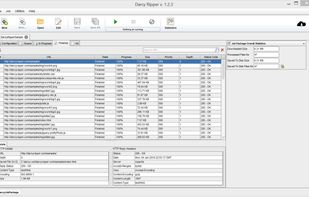
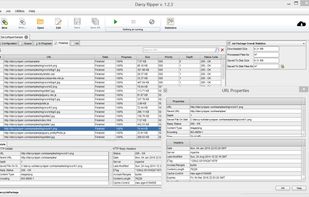
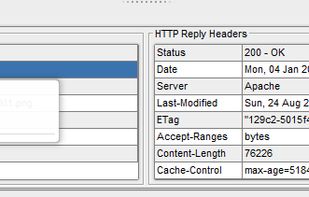
    Darcy Ripper provides a simple way of displaying each step of the download process, including the currently processed URLs and the finished downloads, along with statistical data regarding the HTTP communication.
    Darcy Ripper provides a large amount of configuration settings you can specify for your download process, in order to obtain exactly the web resources you desire. Some of these configuration features include the possibility of resuming web resources download (same or different download sessions), request cookie header support, basic WWW authentication, filtering requests and responses based on status codes or regular expressions, filtering responses based on their content-type or content overall, visualization of the download statistics or downloads history.
    Darcy Ripper makes it possible for you to view every step of your download process. This means that you can visualize any URL that is being accessed or any resource that has been processed/downloaded. Unlike most any other tools, this feature makes it possible for you to notice if something is not working as you expected it and you may stop the process and remedy the issue. Besides the real-time presentation of the download process, Darcy is able to remember and offer to you statistics regarding all your download processes.
    +3
    As much information as possible is displayed by Darcy Ripper in a clean manner, without additional useless dialogs and windows.
    24 alternatives
  2. Offline Pages Pro is probably the world’s most advanced offline browser. Download entire websites with all formatting, documents, video, and client-side interactivity, so you can browse offline — without any Internet connection.


    Cost / License

    • Paid
    • Proprietary

    Application type

    Platforms

    • Mac
    • iPhone
    • iPad
    Offline Pages Pro screenshot 1
    Offline Pages Pro screenshot 2
    Offline Pages Pro screenshot 3
    27 alternatives
  3. PdfIt icon
     3 likes

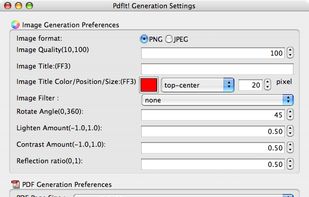
    The Pdf It! extension is designed for FireFox and runs on any platform: Windows, Mac OS X and Linux. The Pdf It! menu item will be installed at Browser-->Tools menu as well as context menu
    Cost / License

    • Free
    • Proprietary

    Alerts

    • Discontinued

    Platforms

    • Mac
    • Windows
    • Linux
    • Firefox
    PdfIt screenshot 1
    57 alternatives
  4. PagePack icon
     Like

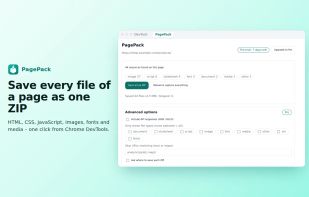
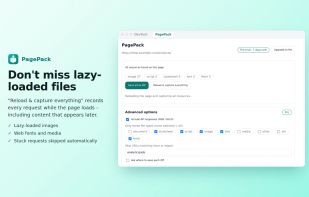
    PagePack is a Chrome extension that adds a tab to DevTools. It reloads the page you are inspecting, records every resource it loads – HTML, CSS, JavaScript, images, fonts and media, including files that are lazy-loaded later – and saves them all into a single ZIP that keeps the...

    Cost / License

    • Freemium
    • Proprietary

    Platforms

    • Google Chrome
    • SG flagSingapore
    Save every file of the page as one ZIP from a DevTools tab
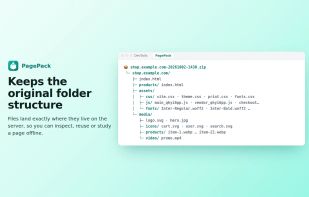
    The ZIP keeps the website's original folder structure
    Lazy-loaded images and fonts are captured too
    +1
    Runs locally: no uploads, no tracking
    9 alternatives
  5. NoCodeExport icon
     1 like

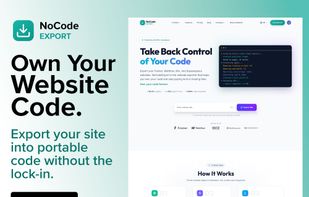
    NoCodeExport renders each page in a headless browser before capture. HTTP-based crawlers like HTTrack and wget save the markup the server sent and never execute JavaScript, so on sites built in Framer, Webflow or Wix they capture an empty shell — missing layout CSS, unstyled...

    Cost / License

    • Freemium
    • Proprietary

    Application type

    Platforms

    • Online
    • US flagUnited States
    Shows the NoCodeExport interface exporting a no-code website into portable HTML/CSS/JS. Users can paste a website URL and download a clean ZIP containing all pages, assets, and scripts.
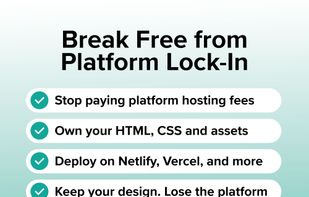
    Demonstrates how NoCodeExport helps users break free from website platform lock-in by exporting complete site code, removing platform dependencies, and allowing deployment on Netlify, Vercel, or any hosting provider.
    Illustrates the simple three-step workflow: paste a website URL, process pages and assets using a headless browser, and download a clean ZIP archive ready for deployment anywhere.
    +1
    Displays the export engine detecting a Framer website, processing pages, removing trackers and watermarks, and packaging the final site into a downloadable ZIP archive.
    30 alternatives