Apps tagged with 'system-maintenance' Page 2 of 2

All apps in Apps tagged with 'system-maintenance' category. Use the filters below to narrow down your search. 
Copy a direct link to this comment to your clipboard
  1. Smartenance icon
     1 like

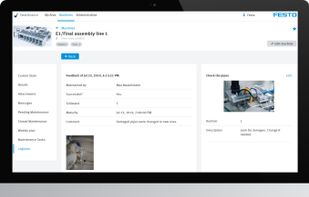
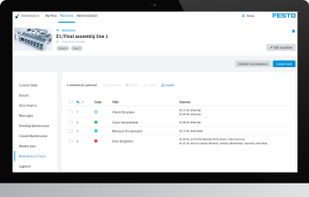
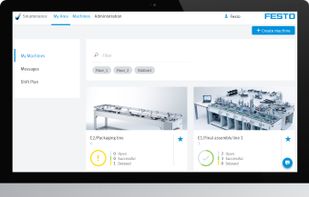
    The digital maintenance manager for production managers and plant operators enables digital paperless maintenance management. Maintenance tasks and plans can be flexibly created, duplicated and subsequently evaluated.

    Cost / License

    • Paid
    • Proprietary

    Platforms

    • Mac
    • Windows
    • Android
    • iPhone
    • iPad
    Smartenance screenshot 1
    Smartenance screenshot 1
    Smartenance screenshot 2
    +4
    Smartenance screenshot 3
    15 alternatives
  2. MacFly Pro icon
     1 like

    MacFly Pro is a simple yet powerful Mac assistant that keeps an eye on your computer and ensures its well-being. The app cleans user and system caches, broken application data and media leftovers. MacFly Pro also handles duplicate files on your Mac and uninstalls rarely user...

    Cost / License

    • Paid
    • Proprietary

    Platforms

    • Mac
    MacFly Pro Assistant - Junk found
    MacFly Pro Cleaner - scan results
    MacFly Pro Cleaner - Cleaning duplicates
    +2
    MacFly Pro Manager - Scan results
    52 alternatives
  3. REBORN PC leverages native, secure Windows protocols (SFC, Winget, DISM) to perform "digital surgery" on your system—restoring performance without any risk to your personal files.

    Cost / License

    • Paid
    • Proprietary

    Platforms

    • Windows
  4. JENI icon
     Like

    JENI speeds up and stabilizes your Mac or PC with one small easy to run program by cleaning, repairing, and resetting core system components and overwriting deleted content, with custom reports and no subscriptions and no ads.

    Cost / License

    • Paid
    • Proprietary

    Platforms

    • Mac
    • Windows
    MAC version step 1: On first launch JENI shows Activation. Copy your license key from your order page or email. Paste it into the field. Check the Terms & Conditions box. Click Activate. Your JENI for Mac unlocks and is ready to use.
    MAC version step 2: After you enter your Mac admin password, JENI starts automated maintenance. A loading screen appears while tasks are prepared. It scans, cleans, and optimizes in the background. No action needed—just let JENI finish.
    MAC version step 3: JENI runs a full maintenance session, averaging ~5 minutes. You’ll see live updates as it securely overwrites free space and removes deleted data. Example: 5 GB permanently erased. Multiple overwrite passes maximize safety. Progress messages show the cleanup scale.
    +5
    MAC version step 4: When JENI finishes, you’ll see a confirmation. A Summary Folder—HTML report, error log, and console log—is saved to Downloads. Click OK to open it and review exactly what was cleaned, overwritten, and verified during the session.
  5. VIDA MMS icon
     Like

    Vida is a computerized maintenance management application that helps industrial business management. It allows you to keep and track factory-related records such as malfunctions, inventory, meters, and maintenance schedules.

    Cost / License

    • Paid
    • Proprietary

    Platforms

    • Android
    • iPhone
    • Android Tablet
    • iPad
    • Software as a Service (SaaS)
    Vida-MMS-1
    Vida-MMS-2
    Vida-MMS-3
    +2
    Vida-MMS-4
    1 alternatives