




zhttp
1 like
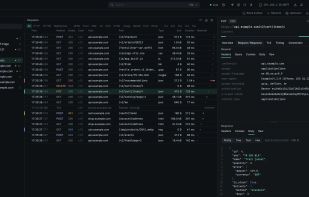
HTTPS debugging proxy for Windows and macOS that captures requests, responses, and TLS handshakes from apps. It preserves TLS ClientHello, HTTP/2 settings, and header order, with breakpoints, JavaScript rewrites, Protobuf and gRPC decoding, session imports, and export tools.

Cost / License
- Free
- Proprietary
Since
- New

Features
Highlights All activities
zhttp News & Activities
Recent activities
 Danilo Venom added zhttp as alternative to Piper HTTPS Proxy, HTTP Debugger, HTTPeep, tunnel and 6 more
- Danilo Venom updated zhttp
- Yoghurt-Digital added zhttp
- Yoghurt-Digital liked zhttp
 Yoghurt-Digital added zhttp as alternative to Charles, Proxyman, Fiddler, HTTP Toolkit and 1 more


Developed by
 Yoghurt Digital Ltd
Licensing
Proprietary and Free product.Alternatives
15 alternatives listedBadge
Get an embeddable badge for zhttpSupported Languages


No comments or reviews, maybe you want to be first?