


Zellij
11 likes
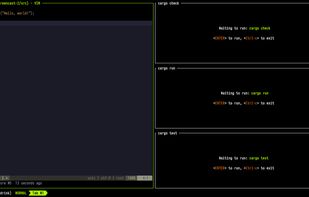
Zellij is a workspace aimed at developers, ops-oriented people and anyone who loves the terminal. Similar programs are sometimes called "Terminal Multiplexers".

Cost / License
- Free
- Open Source (MIT)
Application type
 EU
EUPlatforms
- Mac
- Linux
- Windows


Features
Highlights All activities
Zellij News & Activities
Recent News
- Paul published news article about Zellij

Recent activities





Developed by
 Aram Drevekenin
 Licensing
Open Source (MIT) and Free product.Written in
Alternatives
15 alternatives listedBadge
Get an embeddable badge for ZellijSupported Languages

AlternativeTo Categories
OS & Utilities, DevelopmentGitHub repository
- 35,760 Stars
- 1,496 Forks
- 1910 Open Issues
- Updated





phant's software list
my software list, mostly open-source.I have used the vast majority of the software listed there myself for a long time.
This software list open-source/free/freemium apps for Windows 10/11 that I would recommend.This also includes tools for CS/EE background developer.
This list is designed to highlight excellent software in a particular area, so you don’t need to install all the software on the list. You should only consider installing the software I’ve selected when you have a need that falls under a specific section of the list.
Comments and Reviews
Zellij has completely replaced tmux for me. The interface feels modern and intuitive, but it still has all the power you’d expect from a terminal multiplexer. I really like the built-in UI elements, like the tab bar and status line — makes it easy to see what’s going on at a glance. The layout system is very flexible, and the fact that you can resize panes with simple keybindings is a big plus.
One thing that stands out is how approachable it is for new users. The defaults are sensible, and you can get started right away without diving deep into config files (but if you want to customize, it’s super flexible).
If you spend a lot of time in the terminal and want something powerful yet user-friendly, Zellij is absolutely worth trying.