Yubico Authenticator icon

Yubico Authenticator

Store your unique credentials on a hardware-backed security key and take it wherever you go from mobile to desktop. No more storing sensitive secrets on your mobile phone, leaving your account vulnerable to takeovers.
Yubico Authenticator screenshot 1

Cost / License

Application type

Platforms

  • Mac
  • Windows
  • Linux
  • Android
  • iPhone
  • iPad
11likes
Save

Features

Features

 Tags

Highlights All activities

Yubico Authenticator News & Activities

Recent News

Recent activities

No comments or reviews, maybe you want to be first?

Featured in Lists

2FA & MFA & Password Manager

A list with 13 apps by littlebighorse without a description.
By littlebighorse13 appsUpdated

Official Links

Install from the command line

  • winget install -e --id Yubico.Authenticator
  • brew install --cask yubico-authenticator
  • flatpak install flathub com.yubico.yubioath

Be careful what you paste into a terminal. Check what a command installs before running it.

What is Yubico Authenticator?

Store your unique credentials on a hardware-backed security key and take it wherever you go from mobile to desktop. No more storing sensitive secrets on your mobile phone, leaving your account vulnerable to takeovers. With the Yubico Authenticator you can raise the bar for security.

  • The Yubico Authenticator will work with any USB, Lightning, or NFC-enabled YubiKeys.
  • As iPads do not have NFC, they will only work through a Lightning or USB connection.

The Yubico Authenticator generates a code used to verify your identity as you are logging into various services. No connectivity needed!

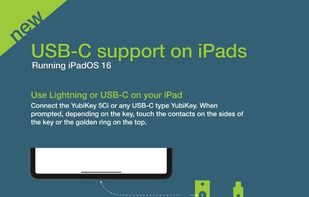
Features include: Touch or NFC Authentication - Touch the YubiKey sensor or simply tap a YubiKey with NFC to a mobile phone that is NFC-enabled to store your credential on the YubiKey USB-C support - Connect the YubiKey 5Ci or any USB-C type YubiKey. When prompted, depending on the key, touch the contacts on the sides of the key or the golden ring on the top Biometric support - Experience greater convenience by unlocking your YubiKey with FaceID or TouchID Easy Setup - QR codes available from the services you wish to protect with strong authentication User Presence - New codes generated with just a touch or NFC tap of the YubiKey Compatible - Secure all the services currently compatible with other Authenticator apps Secure - Hardware-backed strong two-factor authentication with secret stored on the YubiKey, not on the mobile device Versatile - Support for multiple work and personal accounts Portable - Get the same set of codes across our other Yubico Authenticator apps for desktops as well as for all leading mobile platforms Flexible - Support for time-based and counter-based code generation Smart Card - Support for Apple's CryptoTokenKit Extension making it possible to use certificates stored on your YubiKey to authenticate with other apps and sites

Experience security the modern way with the Yubico Authenticator. Visit yubico.com to learn more.

Yubico Authenticator information

AlternativeTo Category

Security & Privacy

Apple AppStore

  •   Updated 
  •   3.66 avg rating
View in AppStore

GitHub repository

  •  1,395 Stars
  •  182 Forks
  •  107 Open Issues
  •   Updated  
View on GitHub
Yubico Authenticator was added to AlternativeTo by Sooraj Sathyanarayanan on and this page was last updated .


