YouTube Ad Punisher icon

YouTube Ad Punisher

 Like

I don't want to watch any YouTube ads right now. So this Chrome extension reloads the page, drops you back exactly where you were, and keeps you moving.
YouTube Ad Punisher screenshot 1

Cost / License

  • Free
  • Open Source (MIT)

Application type

Since

  • New

GitHub

  • GitHub stars: 299

Platforms

  • Google Chrome
  • Safari
  • Brave
0likes
0articles
Save

Features

Features

Highlights All activities

YouTube Ad Punisher News & Activities

Recent activities

YouTube Ad Punisher information

AlternativeTo Category

Web Browsers

GitHub repository

  •  299 Stars
  •  3 Forks
  •  1 Open Issue
  •   Updated  
View on GitHub
YouTube Ad Punisher was added to AlternativeTo by Paul on and this page was last updated .

No comments or reviews, maybe you want to be first?

Official Links

What is YouTube Ad Punisher?

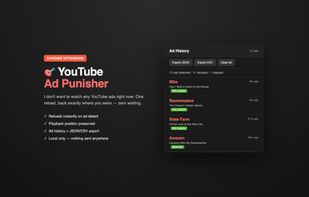
Auto-reloads YouTube pages when an ad plays — preserving your playback position. Punish the ads.

The problem

Ad density on YouTube is channel-dependent and changes over time — some channels front-load several ads, others run none. Traditional ad blockers can get detected by YouTube's anti-adblock system ("Ad blockers are not allowed here"), and the skip button takes a few seconds to appear. You sit there, hostage.

The solution

Reload the page. That's it. Two reloads and the ad is gone. Every time.

🎯 YouTube Ad Punisher automates this: the moment an ad appears, it captures your exact playback timestamp, reloads the page, and YouTube auto-seeks back to where you were. No ads. No waiting. No skip button hunting. Tips

  • Auto escape: after 3 reloads, the extension automatically switches to a helper tab for 4 seconds (George's discovery, now automated), then switches back. No manual tab switching needed.

  • Ads keep coming after reload? Switch to another tab for a few seconds, then switch back. Chrome throttles background tabs, which lets the ad state settle — George discovered this works every time.

  • Incognito: see the Incognito section above.