
YazSes icon
YazSes icon

YazSes

Offline hold-to-talk voice dictation and transcription for the desktop. Hold a key, speak, release — the text is typed into the focused app. Speech recognition runs locally after setup and model download, so no cloud account, API key, GPU or subscription is needed.
YazSes screenshot 1

Cost / License

Application type

Platforms

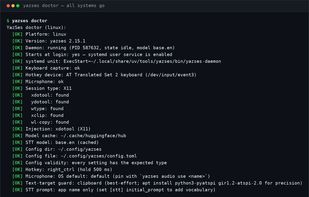
  • Linux  Primary platform; works on X11 and Wayland. Hold-to-talk reads /dev/input, so the user must be in the "input" group. Wayland text injection needs ydotoold running.
  • Mac  Supported, but less extensively validated on real hardware than Linux. Requires granting Accessibility and Microphone permissions.
  • Windows  Supported, but less extensively validated on real hardware than Linux. The installer is currently unsigned.
0likes
0comments
0articles

Features

Properties

  1.  Privacy focused

Features

  1.  Voice dictation
  2.  Speech to text
  3.  Dictation

YazSes News & Activities

Highlights All activities

Recent activities

YazSes information

  • Developed by

    Mohsen Seyedkazemi Ardebili
  • Licensing

    Open Source (Apache-2.0) and Free product.
  • Written in

  • Alternatives

    8 alternatives listed
  • Supported Languages

    • English

AlternativeTo Categories

Audio & MusicOS & Utilities

GitHub repository

  •  4 Stars
  •  8 Forks
  •  162 Open Issues
  •   Updated  
View on GitHub
YazSes was added to AlternativeTo by Mohsen Seyedkazemi Ardebili on and this page was last updated .
No comments or reviews, maybe you want to be first?

What is YazSes?

YazSes is an open-source desktop dictation and transcription tool for Linux, macOS and Windows. Hold a key, speak, release — the text is typed straight into whatever window has focus: editor, browser, terminal or chat. After installation and the one-time model download, speech recognition runs locally on your CPU via faster-whisper, so audio and transcripts are not sent to a cloud service.

Beyond dictation it transcribes existing audio and video files to text, Markdown, SRT, WebVTT or JSON, and can capture a whole meeting hands-free and produce a speaker-labelled transcript — optionally with minutes (summary, decisions, action items) written by a local language model. Speaker names come from voiceprints you enroll yourself, stored encrypted on your own machine.

It needs no GPU, no account and no subscription, and it is Apache-2.0 licensed. Linux is the primary platform (X11 and Wayland); macOS and Windows are supported but less extensively validated on real hardware. The design and benchmarks are described in an arXiv paper.

Accessibility features include a dysfluency mode that collapses stutters and repeats for stuttered or dysarthric speech, per-user voice calibration, and an alternative activation route using a muscle (EMG) sensor for people who cannot press a key.

YazSes Videos