X-Mouse Button Control AlternativesOnly apps categorised as Key Mapping Tools

The best Key Mapping alternative to X-Mouse Button Control is Input Remapper, which is both free and Open Source. If that doesn't suit you, our users have ranked more than 25 alternatives to X-Mouse Button Control and ten of them are Key Mapping Tools so hopefully you can find a suitable replacement. Other interesting Key Mapping Tool alternatives to X-Mouse Button Control are LinearMouse, Piper, Key Manager and Razer Synapse.

filter to find the best alternatives

X-Mouse Button Control alternatives are mainly Key Mapping Tools, but if you're looking for Mouse Remapping Apps you can filter on that. Other popular filters include Mac, Linux and Windows. These are just examples - use the filter bar below to find more specific alternatives to X-Mouse Button Control.
Copy a direct link to this comment to your clipboard
X-Mouse Button Control alternatives page was last updated

Alternatives list

  1. Input Remapper icon
     15 likes
    Copy a direct link to this comment to your clipboard

    A tool to change and program the mapping of your input device buttons.

    12 Input Remapper alternatives

    Cost / License

    • Free
    • Open Source

    Application type

    Platforms

    • Linux
     
    • Input Remapper is the most popular Linux alternative to X-Mouse Button Control.

    • Input Remapper is the most popular Open Source & free alternative to X-Mouse Button Control.

    • Input Remapper is Free and Open SourceX-Mouse Button Control is Free and Proprietary
  2. Piper icon
     7 likes
    Copy a direct link to this comment to your clipboard

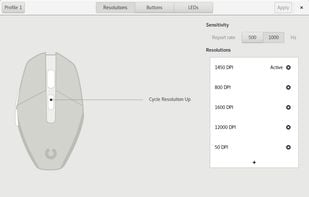
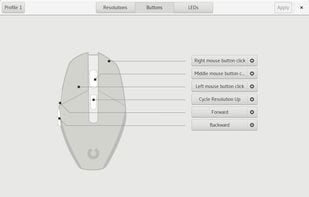
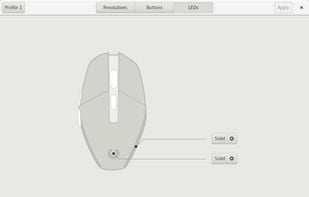
    Piper is a graphical user interface to configure gaming mice. Configuration options include changing the resolution (DPI) of the mouse, adding and removing profiles, setting LED colors and changing button behaviors.

    27 Piper alternatives

    Cost / License

    • Free
    • Open Source

    Application type

    Platforms

    • Linux
    • Flatpak
     
    |
    1
    Comments about Piper as an Alternative to X-Mouse Button Control
    myronc
    Positive
    0

    There are many more options to reprogram various button functions. It works.

    X-Mouse Button Control Icon
    Piper icon
    • Piper is Free and Open SourceX-Mouse Button Control is Free and Proprietary
  3. Key Manager icon
     17 likes
    Copy a direct link to this comment to your clipboard

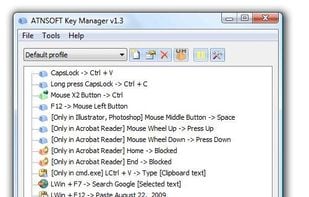
    Key Manager reveals the full potential of your keyboard and mouse and allows you to save time and efforts while working with your computer. Thanks to its flexible interface, you can now create various actions and execute them by pressing keys, mouse buttons and combinations of...

    71 Key Manager alternatives

    Cost / License

    • Paid
    • Proprietary

    Application type

    Platforms

    • Windows
     
    • Key Manager is the most popular Windows alternative to X-Mouse Button Control.

    • Key Manager is Paid and ProprietaryX-Mouse Button Control is Free and Proprietary
  4. Razer Synapse icon
     13 likes
    Copy a direct link to this comment to your clipboard

    Razer Synapse is unified configuration software that allows users to rebind controls or assign macros to any Razer peripherals and saves those settings automatically in the cloud.

    24 Razer Synapse alternatives

    Cost / License

    • Free
    • Proprietary

    Application type

    Platforms

    • Windows
     
    |
    1
    Comments about Razer Synapse as an Alternative to X-Mouse Button Control
    Guest
    Negative
    3

    Razer Synapse only works with Razer hardware and their inherent properties. It does not allow the same amount of customization and function as X-Mouse Button Control. In fact, the two pieces of software are wholly separate in nature.

    Review by a new / low-activity user.
    X-Mouse Button Control Icon
    Razer Synapse icon
    • Some users think Razer Synapse is a great X-Mouse Button Control alternative, some don't.

    • Razer Synapse is Free and ProprietaryX-Mouse Button Control is also Free and Proprietary
  5. Copy a direct link to this comment to your clipboard

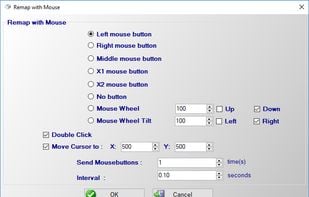
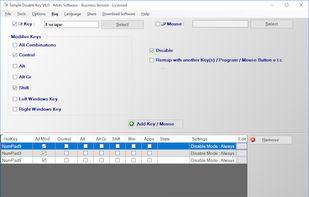
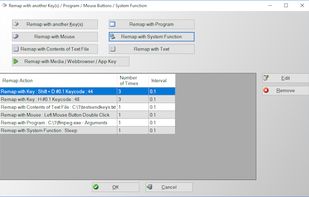
    Do you want to remap keyboard keys with another key ? Do you want to remap mouse buttons ? Then try Key Remapper. With Key Remapper you can easily remap key or remap mouse buttons with another key, program, mouse button, custom text.

    Cost / License

    • Pay once
    • Proprietary

    Application type

    Platforms

    • Windows
     
  6. Copy a direct link to this comment to your clipboard

    Support Android 12! The activator updated, please download the activator again and activate it on PC.

    38 Panda Mouse Pro alternatives

    Cost / License

    • Pay once
    • Proprietary

    Platforms

    • Android
     
    • Panda Mouse Pro is the most popular Android alternative to X-Mouse Button Control.

    • Panda Mouse Pro is Paid and ProprietaryX-Mouse Button Control is Free and Proprietary
  7. Copy a direct link to this comment to your clipboard

    Do you want to want to disable any key on your keyboard or mouse buttons ? Do you want to remap a key or mouse button to another key, program, contents of text file, media key, text or system function ? Then this application is for you.

    Cost / License

    • Pay once
    • Proprietary

    Application type

    Platforms

    • Windows
     
10 of 10 X-Mouse Button Control alternatives