

Wordgard icon
Wordgard icon

Wordgard

 7 likes

Open-source, schema-based JavaScript library enabling in-browser rich-text editing, modular extensions for custom elements, accessibility, collaborative real-time editing, UI internationalization, right-to-left writing, structured content, and functional programming style.
Wordgard screenshot 1

Cost / License

  • Free
  • Open Source (MIT)

Application type

Since

  • Since 2026

Platforms

  • Self-Hosted
  • JavaScript
  • Typescript
  • npm
7likes
0articles
Save

Features

Properties

Features

Highlights All activities

Wordgard News & Activities

Recent News

No news, maybe you know any news worth sharing?

Share a News Tip

Recent activities

Wordgard information

AlternativeTo Categories

Office & Productivity, OS & Utilities

Popular alternatives

View all

Our users have written 1 comment or review about Wordgard, and it has gotten 7 likes.

Wordgard was added to AlternativeTo by Paul on and this page was last updated .

Comments and Reviews

   
TheShadowsOfEdevane
0

Absolutely brilliant for any writer or even just note taker, great UI and I'll be installing this on my other systems. Well done Devs. 5☆☆☆☆☆

Official Links

What is Wordgard?

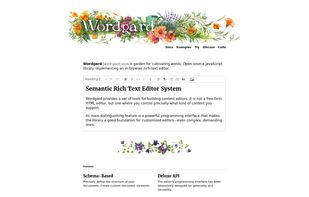
A garden for cultivating words. Open-source JavaScript library implementing an in-browser rich-text editor.

Features:

  • Schema-Based: Precisely define the structure of your documents. Create custom document elements.
  • Deluxe API: The editor's programming interface has been obsessively designed for generality and versatility.
  • Modular: Most editor features are implemented as extensions, which means you can replace or modify them when they don't work for you.
  • Accessible: Works for screen reader users, keyboard-only users, and mobile devices. Support for UI inter­nationalization.
  • Right-to-Left Writing: Direction-aware in both the content and the interface. Supports bidirectional content and right-to-left documents.
  • Structured Content: Document trees can include tables, nesting lists, captioned figures, and custom structure.
  • Functional: A large part of the system is written in functional style for clarity and testability.
  • Collaborative Editing: Support for multiple users editing the same document at the same time, merging concurrent edits.