


Wondershare Virbo
3 likes
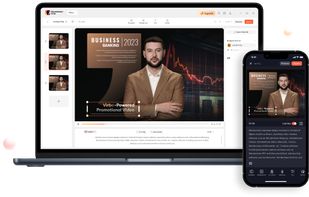
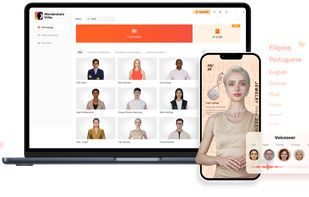
Transforms text into AI-powered spokesperson videos with 300+ voices, 180+ customizable templates, royalty-free assets, script generation, and avatar personalization. Offers seamless access on desktop and mobile for multi-language content and batch processing.

Cost / License
- Subscription
- Proprietary
Application type
Since
- Since 2023
Updated
- Updated Jan 2026



+10


Features
Highlights All activities
Wondershare Virbo News & Activities
Recent News
No news, maybe you know any news worth sharing?
Share a News Tip
Recent activities
 Mauricio B. Holguin added Wondershare Virbo as alternative to WowFlō
 Mauricio B. Holguin added Wondershare Virbo as alternative to Videfy
 alexdaro added Wondershare Virbo as alternative to Treza
 Ray-luan added Wondershare Virbo as alternative to EasyVeo
 Ege Alp added Wondershare Virbo as alternative to TalkPix
 Ryan Balazadeh added Wondershare Virbo as alternative to PrismPoster
 VTubeMe added Wondershare Virbo as alternative to CraftStory
 songkirby0 added Wondershare Virbo as alternative to X-Pilot
 Danilo Venom added Wondershare Virbo as alternative to 1forAll, Magica, Magnific and Glima
 stth added Wondershare Virbo as alternative to UGCFast


Developed by
 Wondershare Technology Group Co., Ltd
Licensing
Proprietary and Commercial product.Pricing
Subscription ranging between $20 and $50 per month.Alternatives
53 alternatives listedBadge
Get an embeddable badge for Wondershare VirboSupported Languages
AlternativeTo Categories
AI Tools & Services, Photos & GraphicsApple AppStore
- Updated
- 4.6 avg rating


Comments and Reviews
Not open-source.