


Microsoft Copilot
Microsoft Copilot (previously know as Bing Chat) is a new Chatbot feature for Microsoft Bing which aim to revolutionize the search engine experience through AI-powered technology.

Cost / License
- Freemium (Subscription)
- Proprietary
Application types
Platforms
- Mac
- Windows
- Online
- Android
- iPhone
- Android Tablet
- iPad


Features
- AI Chatbot
- AI Writing
- Text to Image Generation
- Ad-free
- AI-Powered
- Dark Mode
- Text to Speech
- Cloud Sync
- Live Preview
- No Coding Required
Microsoft Copilot News & Activities
Recent News
- POX published news article about Microsoft Copilot
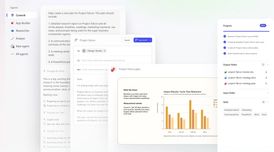 Microsoft gets its own Claude Cowork version for task & workflow automation in 365 apps
Microsoft has released Copilot Cowork, a new feature in Microsoft 365 enabling Copilot to handle ta...
- Maoholguin published news article about Microsoft Edge
 Microsoft Edge expands Copilot integration with Actions, Journeys & browser history access
Following the recent news about Windows' new AI Companion and other Microsoft Copilot updates in Wi...
- Maoholguin published news article about Microsoft Copilot
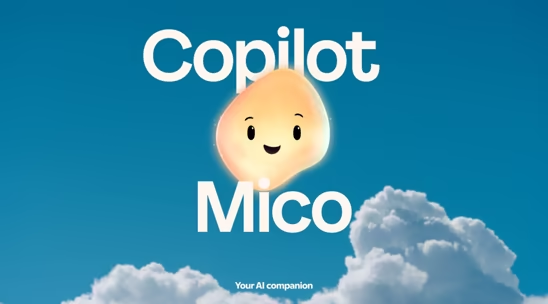
 Microsoft introduces Mico on Windows, a new Clippy-like AI companion powered by Copilot
Just a week after Microsoft announced several new Copilot integrations in Windows 11, including AI ...


Recent activities
- bbrobb liked Microsoft Copilot
 123sudo added Microsoft Copilot as alternative to 9xchat
- LynWro liked Microsoft Copilot
 justarandom added Microsoft Copilot as alternative to Ensu
 getNestMate added Microsoft Copilot as alternative to NestMate
 adrien-aco added Microsoft Copilot as alternative to Haloon
 fabsg85 added Microsoft Copilot as alternative to SharkBoard
 olivaresai added Microsoft Copilot as alternative to Alma by Olivares.AI
 weiyong1024 added Microsoft Copilot as alternative to ClawFleet
 opengolin added Microsoft Copilot as alternative to OpenGolin.AI


Featured in Lists
This is a list curated for the purpose of helping to choose the software/ applications (apps) that should be …
What is Microsoft Copilot?
Microsoft Copilot (previously know as Bing Chat) is a new Chatbot feature for  Microsoft Bing which aim to revolutionize the search engine experience through AI-powered technology. You can search using everyday language, refining your queries with follow-up questions and natural conversation, with the possibility of choosing between 3 response modes that will determine the tone, certainty, and general overview of the answers: Creative, Balanced, and Precise. Rather than sifting through pages of search results, Copilot consolidates information from reliable sources across the web to provide you with a single, concise answer. And if you need more information, you can ask follow-up questions and get detailed replies.
The service relies on OpenAI's advanced language model, GPT-4, to provide a range of tools that make you feel like you have a research assistant, personal planner, or creative partner by your side while searching the web. With the full range of AI-powered features, you can ask complex questions and receive detailed replies, get concise answers from search results, and even explore your creativity by generating poems, stories, or images using the Image Creator. The chat experience allows for follow-up questions and more detailed answers, while maintaining a limited number of interactions to prioritize search-related interactions.
Copilot is also seamlessly integrated with  Microsoft Edge, and with the new sidebar built into the browser, you can ask complex questions, find comprehensive answers, receive summarized information, and discover inspiration, all in a convenient side-by-side view. There's no need to switch between tabs - simply click on the Bing icon in the upper right corner of your Edge toolbar. From there, you can ask questions and receive complete answers alongside your screen, search and summarize in reference to the specific webpage you're viewing, create custom AI-generated images powered by Dall-e, get AI based insights from the website you are on, compare products right in your sidebar, summarize long documents, and even get inspiration and draft ideas to consider.
Whether you're a writer, designer, or simply seeking creative motivation, Copilot is a powerful and extremely user-friendly tool. And with the new Bing app for mobile, you can carry Bing Chat with you wherever you go, accessing prompt and helpful answers anytime, anywhere.
Microsoft Copilot Videos




Microsoft Copilot information
Developed by
 Microsoft
 Licensing
Proprietary and Freemium product.Pricing
Subscription ranging between $20 and $30 per month + free version with limited functionality.Rating
Average rating of 3.8Alternatives
271 alternatives listedNews
65 news article related to Microsoft CopilotSupported Languages
- English
- Arabic
- Bengali
- Bulgarian
- Chinese
- Croatian
- Czech
- Danish
- Dutch
- Estonian
- Finnish
- French
- German
- Greek
- Hindi
- Hungarian
- Indonesian
- Icelandic
- Italian
- Japanese
- Korean
- Latvian
- Marathi
- Norwegian Bokmål
- Polish
- Portuguese
- Romanian
- Russian
- Serbian
- Slovak
- Slovene
- Spanish
- Swedish
- Telugu
- Thai
- Turkish
- Ukrainian
- Vietnamese
- Gujarati
- Malayalam
- Malay
- Assamese
- Urdu
AlternativeTo Categories
AI Tools & Services, Photos & GraphicsApple AppStore
- Updated
- 4.84 avg rating


Comments and Reviews
Actually researches before it answers unlike chatgpt which just spews nonsense sometimes
The guardrails CoPilot uses are extremely bad. In fact, if it even believes you are asking anything which it considers a thoughtcrime, it ends the conversation.
I like Microsoft Copilot because fast and very scure
useless compare to the other LLM including opensource ones
copilot is decent AI chatbot. the web/app user interface is minimal and calming. it does not require account registrations if you only do text chats. it has access to real time data and up to date knowledge, good memory, infinite chat limit, no ads, no biased responses (probably), and most importantly give actual useful answers unlike other chatbots.
privacy is an issue, but if that is not your concern then i highly recommend using copilot. personally i dont mind feeding my data to AI training if it improves and does not try to manipulate me to show biased answers
Pretty useless now since the DDG chat released. Too rigid limits and product imposition.
models available in DDG is way dumber than this. i dont trust copilot with privacy, but as a tool it does it work pretty good
Copilot is using GPT-4o, allegedly downgraded by their wrapper to reduce costs. If you want access to the most recent models, try Huggingface Chat, they have Llama-3.3-70B and Deepsek, for example. P.S. Copilot seems to have removed its limits, so that part of my complaint goes away. There was a 3-10 message limit before.
Helps me in answering my questions when I can't ask another human to answer my question. And also, it's free. But I still don't trust this application with my personal data because it's from Windows.