WiFi Health Check icon

WiFi Health Check

Local WiFi and LAN diagnostics for iPhone, including connectivity, DNS, TCP stability, roaming, security, and device discovery checks.
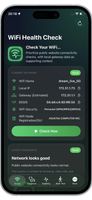
WiFi Health Check screenshot 1

Cost / License

  • Free
  • Proprietary

Application type

Platforms

  • iPhone
  • iPad
0likes
0comments
0articles

Features

Properties

  1.  Lightweight
  2.  Privacy focused

Features

  1.  Dark Mode
  2.  No Tracking
  3.  Ad-free
  4.  No registration required

WiFi Health Check News & Activities

Highlights All activities

Recent activities

WiFi Health Check information

  • Developed by

    HK flagOPSHOME
  • Licensing

    Proprietary and Free product.
  • Alternatives

    5 alternatives listed
  • Supported Languages

    • English
    • Chinese

AlternativeTo Category

Network & Admin

Apple AppStore

  •   Updated 
  •   0 avg rating
View in AppStore

Popular alternatives

View all
WiFi Health Check was added to AlternativeTo by opshome on and this page was last updated .
No comments or reviews, maybe you want to be first?

Featured in Lists

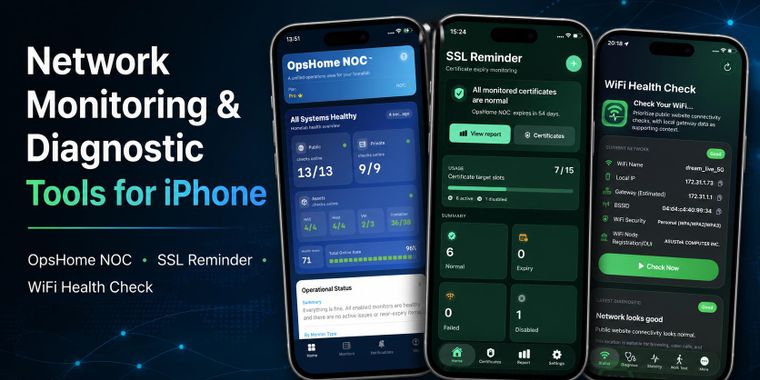
A collection of iPhone tools for monitoring infrastructure, checking SSL certificate expiration, and diagnosing WiFi …

List by opshome with 5 apps, updated

What is WiFi Health Check?

WiFi Health Check is an on-device WiFi and LAN diagnostic tool for iPhone. It helps you quickly understand whether your current network is reachable and stable, and which WiFi access point your phone is connected to.

No account is required, and it does not rely on the cloud. Diagnostic records are saved locally by default. You can perform a quick network check at home, in the office, in a server room, at a store, or at a customer site, and generate a shareable diagnostic report.

Key Features:

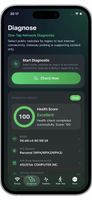
One-Tap Network Diagnosis Checks public website connectivity, DNS resolution, gateway information, device IP address, current WiFi name (SSID), BSSID, WiFi security type, and more.

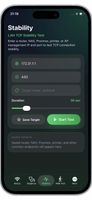
LAN TCP Continuous Test Performs continuous TCP tests against routers, NAS devices, printers, Proxmox hosts, servers, AP management addresses, or other LAN devices. Monitor latency, timeouts, and stability.

WiFi Roaming Test Records the currently connected SSID/BSSID as you move around, helping you determine whether your phone has switched from one WiFi access point to another.

LAN Scan Report Runs a lightweight local scan within the current subnet and lists discoverable LAN devices along with open ports, assisting in network environment troubleshooting.

Local History & Share Reports Results of diagnostics, continuous tests, roaming tests, and LAN scans are saved locally by default. You can view them anytime and share them as text reports.

Language Interface Supports switching between Chinese and English. Your language preference is stored locally.

Privacy Notice: WiFi Health Check requires no account, does not upload diagnostic history, and does not read your WiFi password. Location permission is used solely to allow the app to read the current WiFi name and BSSID on iOS. Reports are distributed only through the method you choose when you actively share them.

Official Links