WhimPop is a native macOS panel that opens right where your cursor is. Hold down the right mouse button a little longer than usual and it appears. A short right-click still shows the normal context menu. On a trackpad, press and hold with two fingers. An extra mouse button and a global keyboard shortcut also work as triggers.
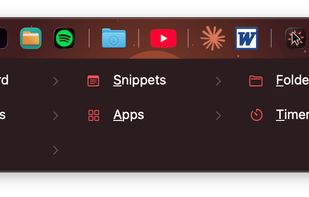
The panel holds clipboard history with image previews, snippets, a one-click favorites rail for apps, folders, and websites, quick file access, and a countdown timer. Pressing Space opens a fuzzy search across all of it. The panel never steals focus, so pasting lands in the app you were just using.
Clipboard entries containing JSON or XML can be pasted formatted. Password manager content is never recorded, clipboard history stays on your Mac, and there are no analytics in the app.
Built-in themes plus fully custom colors and fonts. Full keyboard navigation with mnemonic letters and digit shortcuts.
One-time purchase with a 30-day full-featured trial, no account needed. Requires macOS 12 or later on Apple Silicon.






 EU
EU


 WhimByte


No comments or reviews, maybe you want to be first?