

VocaScript icon
VocaScript icon

VocaScript

VocaScript is a transcription platform for long recordings: lectures, interviews, podcasts, courses and streams that run for hours. Upload a file, paste a link to publicly accessible media, or transcribe as you browse with the extension.
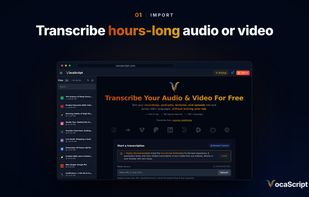
Upload a file or paste a link to start a transcription.

Cost / License

  • Freemium (Subscription)
  • Proprietary

Application type

Platforms

  • Online
  • Google Chrome
  • Software as a Service (SaaS)
1like
0articles
Save

Features

Properties

  1.  AI-Powered

Features

  1.  Ad-free
  2.  Dark Mode
  3.  No registration required
  4.  Speech Transcription
  5.  Multiple languages
  6.  Video Transcription
  7.  Automatic Transcript
  8.  Speech to text
  9.  Subtitles and captions
  10.  Transcribe
  11.  AI Summarization

VocaScript News & Activities

Highlights All activities

Recent activities

VocaScript information

  • Developed by

    VocaScript
  • Licensing

    Proprietary and Freemium product.
  • Pricing

    Subscription ranging between $10 and $100 per month + free version with limited functionality.
  • Alternatives

    20 alternatives listed
  • Badge

    Get an embeddable badge for VocaScript
  • Supported Languages

    • English
VocaScript was added to AlternativeTo by Diae on and this page was last updated .

No comments or reviews, maybe you want to be first?

Official Links

What is VocaScript?

VocaScript is a transcription platform for long recordings: lectures, interviews, podcasts, courses and streams that run for hours. Upload a file, paste a link to publicly accessible media, or transcribe as you browse with the extension. You get timestamped text with speaker labels in 100+ languages, and the tools to make it right.

Built for long recordings

  • Paid plans take single recordings of 4, 8 or 16 hours.
  • A recording longer than your plan allows can be continued from where the transcript stopped.
  • Speaker labels stay consistent across the whole recording, even when it runs for hours.
  • Search the transcript to find a quote or a moment; every segment carries its timestamp.
  • Courses and podcast series stay together in one library, on every device.

Checked against the audio

  • Each transcription is checked against the recording: skipped speech is transcribed and added, and text over silence is removed, before you see the transcript.
  • Timestamps that are out of order or out of range are corrected as the transcript is written.
  • A quality report lists anything that still needs attention: missing speech, text over silence, repeated segments, timestamp problems and speaker labels that belong to the same person. Select what to fix and Repair does it, and you review the changes.
  • Retranscribe any segment or range when a name or a passage came out wrong.
  • AI proofreading corrects spelling, punctuation and grammar while keeping the speaker's own words, and you accept or reject each change.

Transcribe as you browse

  • The Chrome extension transcribes the video or audio on the page in one click, using your signed-in browser session, while you keep browsing.
  • The finished transcript appears as synchronized captions on the same page.
  • It also transcribes files you drop into it, the audio playing in a tab, and voice messages on WhatsApp Web and Telegram Web.

Languages

  • 100+ languages, detected automatically, including recordings that switch between languages.
  • Translate while transcribing, or translate a finished transcript into another language.

Work with the transcript

  • Edit text, timestamps and speakers, and rename or merge speakers.
  • Word timings light up each word as the recording plays.
  • Summaries and chat answers link to the moment in the recording they come from.

Limits and pricing

  • Without an account: 5 minutes per file and 3 files a day. Longer files are cut at 5 minutes.
  • Free account, no card required: 25 minutes per run, 2 hours a month and 15 transcriptions a day, with plain text export, proofreading, summaries and translation.
  • Plus, Pro and Max ($10, $25 and $100 a month): single files up to 4, 8 or 16 hours, and 30, 80 or 320 hours a month.
  • Paid plans add SRT, VTT and JSON export, chat with your transcript, Studio (word timings, speaker labels and translation in one run), permanent file storage, priority processing and no daily limit. Cancel at any time.

VocaScript Videos

Show 1 more video