





RiverScript
1 like
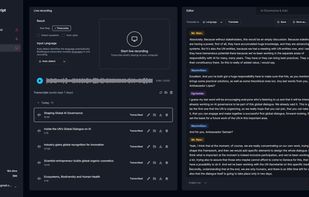
AI transcription platform with Live Recording Transcription. Record and transcribe everything you hear on your Windows or Mac computer, including system audio. Also upload audio and video files up to 50GB for AI transcription, translation, subtitles, and summaries.

Cost / License
- Freemium (Subscription)
- Proprietary
Application typeApplication types
 EU
EUPlatforms
- Mac
- Windows
- Online
- Software as a Service (SaaS)


Features
Highlights All activities
RiverScript News & Activities
Recent activities
 Diae added RiverScript as alternative to VocaScript
 Nav-Patel added RiverScript as alternative to diarize
 Yuri Mansilla added RiverScript as alternative to Gyuret Notes
 arvin-intech added RiverScript as alternative to Aloudra
- Ben added RiverScript as alternative to OpenTranscription
 elay1234 added RiverScript as alternative to JustTranscribe
 Lex Valo added RiverScript as alternative to Fireflies.ai and Otter.ai
 Lex Valo added RiverScript as alternative to Transkriptor
 Lex Valo added RiverScript as alternative to AudioPen
 Lex Valo added alternatives


Developed by
 Lex Valo
 Licensing
Proprietary and Freemium product.Pricing
Subscription ranging between $14 and $38 per month + free version with limited functionality.Alternatives
14 alternatives listedBadge
Get an embeddable badge for RiverScriptSupported Languages


No comments or reviews, maybe you want to be first?