
visualOS icon
visualOS icon

visualOS

A local-first infinite canvas for visual thinkers — boards are real folders on your disk, documents are Markdown files. Works fully offline, no account needed.
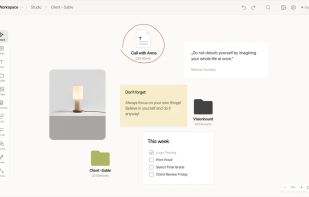
Screenshot visualOS Canvas

Cost / License

  • Freemium (Pay once)
  • Proprietary

Platforms

  • Mac
  • Online
  • iPhone
  • iPad
5likes
0comments
0articles

Features

Properties

  1.  Privacy focused
  2.  Lightweight
  3.  Local-First

Features

  1.  Subtasks
  2.  Dark Mode
  3.  Automatic Backup
  4.  Support for MarkDown
  5.  Live Preview
  6.  No Coding Required
  7.  Ad-free
  8.  No registration required
  9.  Hierarchical Structure
  10.  File Versioning
  11.  Cloud Sync
  12.  No Tracking
  13.  Works Offline
  14.  Offline
  15.  Moodboard
  16.  Infinite canvas
  17.  Mind Mapping
  18.  Visual Organization

visualOS News & Activities

Highlights All activities

Recent activities

visualOS information

  • Developed by

    DE flagDorweiler & Reimertz GbR
  • Licensing

    Proprietary and Freemium product.
  • Pricing

    One time purchase (perpetual license) that costs $13 + free version with limited functionality.
  • Alternatives

    7 alternatives listed
  • Supported Languages

    • English
    • German
    • Chinese
    • Japanese
    • Korean
    • Spanish
    • Polish
    • Swedish
    • French

AlternativeTo Categories

Office & ProductivityBackup & Sync

Popular alternatives

View all
visualOS was added to AlternativeTo by Gerald Reimertz on and this page was last updated .
No comments or reviews, maybe you want to be first?

What is visualOS?

visualOS is an infinite, zoomable canvas for notes, rich text, Markdown documents, to-do lists, images, PDFs, freehand drawings and arrows — with boards nested inside boards to any depth.

Its defining idea is local-first data ownership: connect a folder on your disk and the canvas hierarchy mirrors onto it as real files. Every board becomes an actual folder, documents become plain Markdown files, images stay ordinary images. There is no server and no account — sync and backup happen through the user's own cloud folder (e.g. iCloud Drive or Dropbox). If you decide to use another app, your data would still be folders, Markdown and readable JSON.

Automatic rolling version history protects against sync conflicts: before anything substantial is replaced, the previous state is snapshotted (~30 states) and can be restored with one click.

The browser app is free and full-featured with no account and no note or board limits (connect-a-folder requires Chrome, Edge or Brave). A native app for iPhone, iPad and Mac (Apple Silicon) is available as a one-time purchase — no subscription. visualOS is single-user by design: a personal thinking space, not a team whiteboard.

Made by Sarah Dorweiler and Gerald Reimertz, a husband-and-wife team in Berlin.

Official Links

