


visionOS
All-new platform. Familiar frameworks and tools. Get ready to design and build an entirely new universe of apps and games for Apple Vision Pro.

Cost / License
- Free
- Proprietary
Platforms
- visionOS
- iPhone


Features
- VR support
- Swift
- Virtual Reality
visionOS News & Activities
Recent News
- Maoholguin published news article about iOS
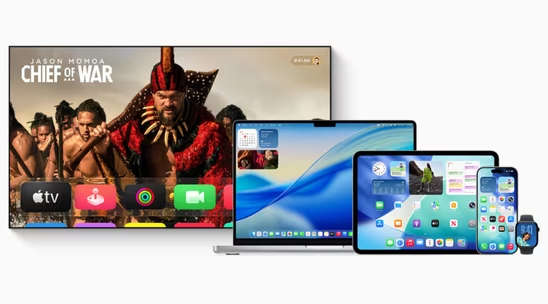
 Apple launches version 26 across iOS, macOS, iPadOS and more with new Liquid Glass design
Apple has officially released iOS 26, macOS 26 Tahoe, iPadOS 26, watchOS 26, tvOS 26, and visionOS ...
- Maoholguin published news article about iOS
 Apple unveils version 26 across its OS lineup with new design language & several features
Apple announced major operating system updates at WWDC 2025, introducing several new features acros...
- Maoholguin published news article about iOS
 Apple introduces Liquid Glass, a new design language for its ecosystem, based on VisionOS
Apple is officially rolling out a new design language called Liquid Glass across all major platform...


Recent activities
- babsors liked visionOS
Featured in Lists

This is a list curated for the purpose of helping to choose the software/ applications (apps) that should be …
What is visionOS?
All-new platform. Familiar frameworks and tools. Get ready to design and build an entirely new universe of apps and games for Apple Vision Pro.
A spectrum of immersion
Apple Vision Pro offers an infinite spatial canvas to explore, experiment, and play, giving you the freedom to completely rethink your experience in 3D. People can interact with your app while staying connected to their surroundings, or immerse themselves completely in a world of your creation. And your experiences can be fluid: start in a window, bring in 3D content, transition to a fully immersive scene, and come right back.
The choice is yours, and it all starts with the building blocks of spatial computing in visionOS.
Windows
You can create one or more windows in your visionOS app. They’re built with SwiftUI and contain traditional views and controls, and you can add depth to your experience by adding 3D content.
Volumes
Add depth to your app with a 3D volume. Volumes are SwiftUI scenes that can showcase 3D content using RealityKit or Unity, creating experiences that are viewable from any angle in the Shared Space or an app’s Full Space.
Spaces
By default, apps launch into the Shared Space, where they exist side by side — much like multiple apps on a Mac desktop. Apps can use windows and volumes to show content, and the user can reposition these elements wherever they like. For a more immersive experience, an app can open a dedicated Full Space where only that app’s content will appear. Inside a Full Space, an app can use windows and volumes, create unbounded 3D content, open a portal to a different world, or even fully immerse people in an environment.

visionOS information
Developed by
 Apple
Apple Licensing
Proprietary and Free product.Alternatives
15 alternatives listedNews
15 news article related to visionOSSupported Languages
- English
AlternativeTo Category
OS & UtilitiesApple AppStore
- Updated
- 3.55 avg rating


