





View My Desktop
Like
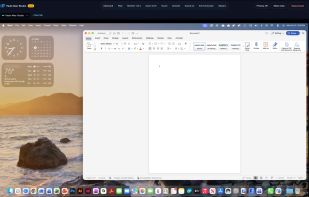
Reach your Windows PC or Mac from a phone, a tablet, another computer, or any browser. Up to 4K, with files, printing, and chat on every plan.


Features
Highlights All activities
View My Desktop News & Activities
Recent activities
- ViewMyDesktop added View My Desktop
 ViewMyDesktop added View My Desktop as alternative to AnyDesk, TeamViewer, RustDesk, Splashtop Business Access and 17 more
Developed by
 Blue Arrow Development, LLC
Licensing
Proprietary and Commercial product.Pricing
Subscription ranging between $10 and $14 per month.Alternatives
21 alternatives listedBadge
Get an embeddable badge for View My DesktopSupported Languages


No comments or reviews, maybe you want to be first?