




Vector Boy
Like
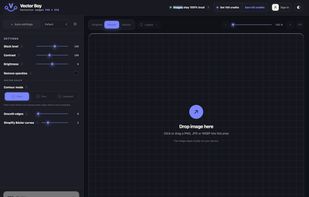
Browser-based image vectorizer that converts photos, logos and handwriting into SVG, PDF, EPS and DXF paths without ever uploading your image.

Cost / License
- Freemium (Pay once)
- Proprietary
Application type
 EU
EUPlatforms
- Online

Features
Vector Boy News & Activities
Highlights All activities
Recent activities
 Paul added Vector Boy as alternative to VectorRaptor
- Mauricio B. Holguin updated Vector Boy
- Fynn-Kliemann added Vector Boy
- Mauricio B. Holguin updated Vector Boy
 Fynn-Kliemann added Vector Boy as alternative to CorelDRAW Graphics Suite, SVGConverter, VTracer, Vectorizer.io and 30 more


Vector Boy information
Developed by
 Fynn Kliemann
 Licensing
Proprietary and Freemium product.Pricing
One time purchase (perpetual license) that costs $11 + free version with limited functionality.Alternatives
35 alternatives listedBadge
Get an embeddable badge for Vector BoySupported Languages


No comments or reviews, maybe you want to be first?