V2Lens is a desktop tool for working with HL7 v2 messages. It runs as a single portable program on Windows, macOS and Linux. There is no installer and no runtime to set up, and all data stays in a folder next to the program.
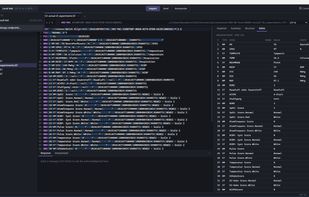
Browse and edit. Add message folders to the sidebar and open files in tabs. The HL7-aware editor highlights segments, delimiters and escape sequences. Hover over any value to see its path, field name, data type and decoded value. Files are saved byte for byte in their original encoding and segment separator. V2Lens detects UTF-8, windows-1252 and ISO-8859-1, and repairs double-encoded text. Files with several messages and batch envelopes (FHS/BHS) are supported.
Understand messages. Definitions for every HL7 version from 2.1 to 2.8.1 are built in. The Inspector shows the field, component and data type at the cursor, and warns about empty required fields or values that are too long. The Structure view shows the message as a tree of segments and groups and flags missing or unknown segments. Summary and Tables views give a quick overview of patient, visit, OBX, DG1, AL1, IN1 and more.
Search by HL7 path. Search by plain text or by path, such as PID-5.1, OBX[2]-5, ORDER_OBSERVATION/OBX-3 or PID-8=F. This works in the open file and across all your folders, with results streamed in the background.
Send over MLLP. Save endpoints with optional TLS, then send a single message, a whole file or a folder. Control IDs and timestamps can be regenerated on each send. Acknowledgments are parsed into accepted, error or rejected, with MSA and ERR details and the round-trip time.
Anonymize. Build rules by path to hash, fake names, shift dates, replace or remove values. A built-in preset covers common patient identifiers. Results are deterministic and consistent across files, and the key can be shared between machines. A live preview shows each change as you type. You can anonymize whole folders in batch, or anonymize a message on the fly as you send it.



 EU

 emluk added V2Lens as alternative to HL7 Sender, HL7 Inspector, 7edit, Kainos HL7 Editor and 1 more

 emluk Solutions


No comments or reviews, maybe you want to be first?