UnixTime icon
UnixTime icon

UnixTime

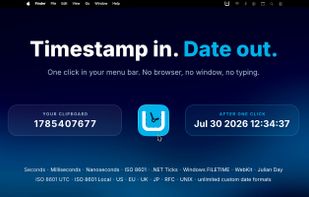
Native macOS menu bar app for converting Unix timestamps to human-readable dates and back — with a customizable history, custom formats, and full clipboard integration.

UnixTime screenshot 1

Cost / License

  • Pay once
  • Proprietary

Platforms

  • Mac  Requires macOS 14.6 or later · Apple Silicon & Intel
0likes
0comments
0articles

Features

UnixTime News & Activities

Highlights All activities

Recent activities

UnixTime information

  • Developed by

    DE flagLabor 77
  • Licensing

    Proprietary and Commercial product.
  • Pricing

    One time purchase (perpetual license) ranging between $1 and $3.
  • Alternatives

    3 alternatives listed
  • Supported Languages

    • English
    • German
    • French
    • Spanish
    • Italian
    • Dutch
    • Portuguese
    • Turkish
    • Russian
    • Hindi
    • Chinese
    • Japanese
UnixTime was added to AlternativeTo by Tobias Creter on and this page was last updated .
No comments or reviews, maybe you want to be first?

What is UnixTime?

UnixTime is a native macOS menu bar utility that turns Unix timestamp conversion into a one-click task. Click the menu bar icon and whatever is on your clipboard is instantly converted — a timestamp becomes a readable date, a date becomes a Unix timestamp. Hover the icon and a tooltip shows the conversion before you even click.

Built for developers, DevOps engineers, sysadmins, and anyone who regularly digs through logs, database records, or API responses full of epoch times. No browser tab, no web service, no tracking, no cloud sync — everything happens locally on your Mac.

Key characteristics:

  • 100% native macOS app (Swift/SwiftUI) — not Electron, not a wrapper
  • Lives in the menu bar, out of your way until you need it
  • Zero telemetry, zero network requests, sandboxed
  • Auto-detects timestamps in seconds or milliseconds
  • Configurable output formats (ISO 8601, RFC 2822, European, US, British, Japanese, custom Unicode format strings, and more)
  • Drag & drop reordering for menu entries — put your most-used formats on top
  • Built-in history (up to 50 entries) so you don't retype yesterday's conversions
  • Pin window to keep it floating on top of other apps
  • Full localization in 12 languages with live switching (no restart)
  • One-time purchase — no subscription, no ads, no upsells

Requires macOS 14.6 or later. Available on the Mac App Store.

Official Links