


Universal Interval Timer
Like
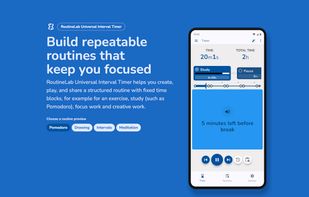
Create, play, and share a structured routine with fixed time blocks, for example for an exercise, study (such as Pomodoro), focus work and creative work.

Cost / License
- Freemium (Pay once)
- Proprietary
 EU
EUPlatforms
- Android


Features
Universal Interval Timer News & Activities
Highlights All activities
Recent activities
 bellivij added Universal Interval Timer as alternative to HIRT Tracker
- Robbert added Universal Interval Timer
- Mauricio B. Holguin updated Universal Interval Timer
 Robbert added Universal Interval Timer as alternative to Seconds Interval Timer, Interval Timer, Custom Workouts, Interval Timer (PFA) and 4 more


Universal Interval Timer information
Developed by
 RoutineLab
 Licensing
Proprietary and Freemium product.Pricing
One time purchase (perpetual license) ranging between $3 and $6 + free version with limited functionality.Alternatives
9 alternatives listedBadge
Get an embeddable badge for Universal Interval TimerSupported Languages



No comments or reviews, maybe you want to be first?