Typen icon
Typen icon

Typen

 4 likes

Write and share anywhere, distraction free, on a customizable look. Plain text, unlimited space, easy to manage, free to use, customize the background, font and color. Track the number of characters written, words, lines, reading time, and more.
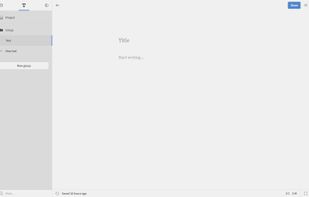
Default state

Cost / License

  • Free
  • Proprietary

Application type

Since

  • Since 2017

Alerts

  • Discontinued

Platforms

  • Online
Discontinued

Website now unrelated to app description.

4likes
0articles
Save

Features

Properties

Features

Highlights All activities

Typen News & Activities

Recent activities

No activities found.

Typen information

Typen was added to AlternativeTo by adishasanic on and this page was last updated .

No comments or reviews, maybe you want to be first?

Featured in Lists

Writing (general)

A list with 44 apps by BlueThrasher22 without a description.
By Olivia Thrasher44 appsUpdated

Official Links

What is Typen?

Write distraction free, unlimited, on any computer with an internet access.

Change the look of theme background, font and color with one click, any time.

Share your writings with anyone on any device, using only a short web link (URL).

Export any text or groups of texts as PDF, DOC, HTML or TXT files.

Track the number of text characters, words, lines, reading time, and more.

Set a mark on any text in the menu, e.g. to know what you’re currently writing.

Find any text, group, or project using a smart, instant, as-you-type search.

Text is constantly saved in Version History and all edits can be accessed in one click.

Go fullscreen to turn your computer into a true, distract-free typewriter.