Twilock: Screen Time Blocker icon

Twilock: Screen Time Blocker

Blocks selected iPhone apps during scheduled night and optional morning windows, using Strict Mode to resist mid-session removal. Tracks protected-time streaks, badges and reclaimed hours, provides weekly snooze tokens and freezes, and supports friend leaderboards.
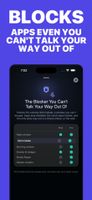
Twilock: Screen Time Blocker screenshot 1

Cost / License

  • Freemium (Pay once or Subscription)
  • Proprietary

Platforms

  • iPhone
  • iPad
0likes
0comments
0articles

Features

Twilock: Screen Time Blocker News & Activities

Highlights All activities

Recent activities

Twilock: Screen Time Blocker information

  • Developed by

    US flagHUSSAIN MAHDI TAHERI
  • Licensing

    Proprietary and Freemium product.
  • Pricing

    One time purchase that costs $80, and / or subscription ranging between $5 and $40 per month + free version with limited functionality.
  • Alternatives

    3 alternatives listed
  • Supported Languages

    • English
    • French
    • German
    • Japanese
    • Portuguese
    • Spanish

AlternativeTo Category

Office & Productivity

Apple AppStore

  •   Updated 
  •   5 avg rating
View in AppStore
Twilock: Screen Time Blocker was added to AlternativeTo by hussain-taheri on and this page was last updated .
No comments or reviews, maybe you want to be first?

What is Twilock: Screen Time Blocker?

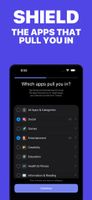
You do not decide to scroll until 1am. It just happens. Twilock shields the apps that pull you in during the two windows that cost you most: the hours right before sleep, and the ones right after waking.

Pick the apps. Pick your window. Twilock handles the rest, so there is no willpower contest and no bargaining with yourself at 11pm.

HOW IT WORKS

  1. Choose the apps that pull you in most.
  2. Set your Night window, up to two hours, over the stretch where your nights actually go sideways.
  3. When the window opens, those apps are shielded. Nothing to decide, nothing to resist.

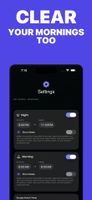
WHY IT FEELS DIFFERENT Most blockers go all-or-nothing and you end up disabling them by lunchtime. Twilock never takes your whole day. It covers up to two hours at night, plus up to two in the morning on Pro, because those are the hours that decide how you sleep and how you start.

BUILD A STREAK YOU ACTUALLY WANT Every protected night grows your streak on a calendar that is satisfying to keep green, and earns you badges along the way. An attempt the shield caught still counts as a win, not a slip. Reach a 7-day streak and you earn a free Streak Freeze to cover a slip later, with two more waiting at 30 and 90 days. You also get one Snooze Token every week for the nights you genuinely need your phone. All free, no purchase, ever.

SEE THE PAYOFF Watch the hours you have reclaimed add up, glance back at your streak history, and check in on how your sleep and energy are trending. All private, all on your device.

STAY ACCOUNTABLE WITH FRIENDS Share your invite code, connect with friends, and keep each other honest on a shared streak leaderboard. Free for everyone. A little gentle competition helps more than it should.

PRIVATE BY DESIGN Your Screen Time and app usage data never leave your device. We cannot see which apps you picked or how long you use them. No ads, no data selling, ever.

FREE TO START, PRO WHEN YOU'RE READY Free, always: your Night window, streaks, badges, Streak Freeze, the weekly Snooze Token, friends and the leaderboard, and your reclaimed-hours count. Pro adds: a Morning window, Strict Mode (which stops you deleting Twilock mid-session, while always leaving a way out), Streak Repair, and deeper insights.

Take back your nights and mornings, one calm streak at a time.

Twilock Pro is offered as a monthly or annual auto-renewing subscription, or as a one-time Lifetime purchase. Prices are shown in the app before you buy. Subscriptions renew automatically unless cancelled at least 24 hours before the end of the current period. Manage or cancel anytime in your App Store account settings.